

Global search allows you to search for content throughout your entire workspace.

Workspace Search
You can search for approved or draft content, references to attachments by their title name from a search field at the top of your screen. Workspace search shows results instantly as you type.
How it Works
- On the top navigation bar of your workspace, you will find Workspace Search.
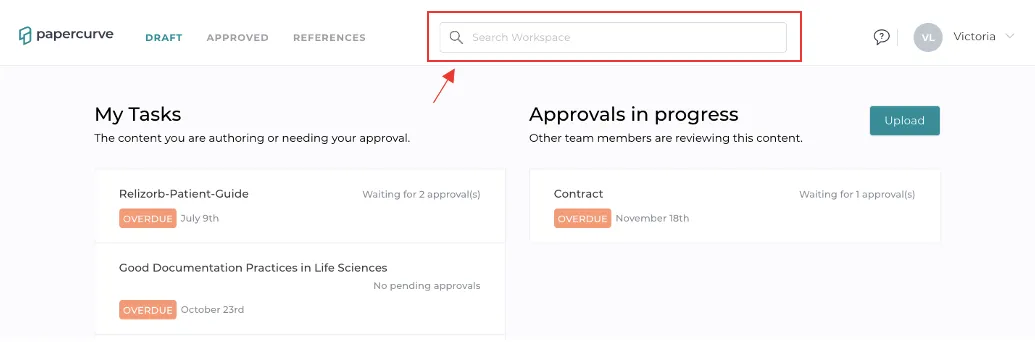
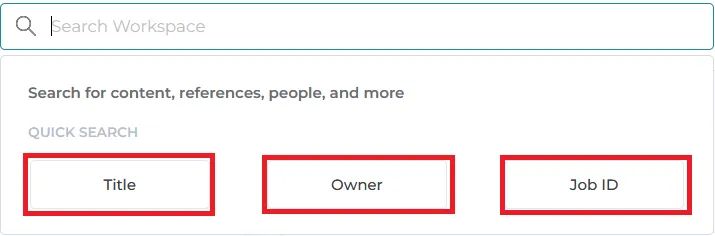
- Workspace Search allows you to search for all content in your workspace using Title, Owner, or Job ID. Just enter a keyword and select what category you are searching for and all content with that keyword will appear.
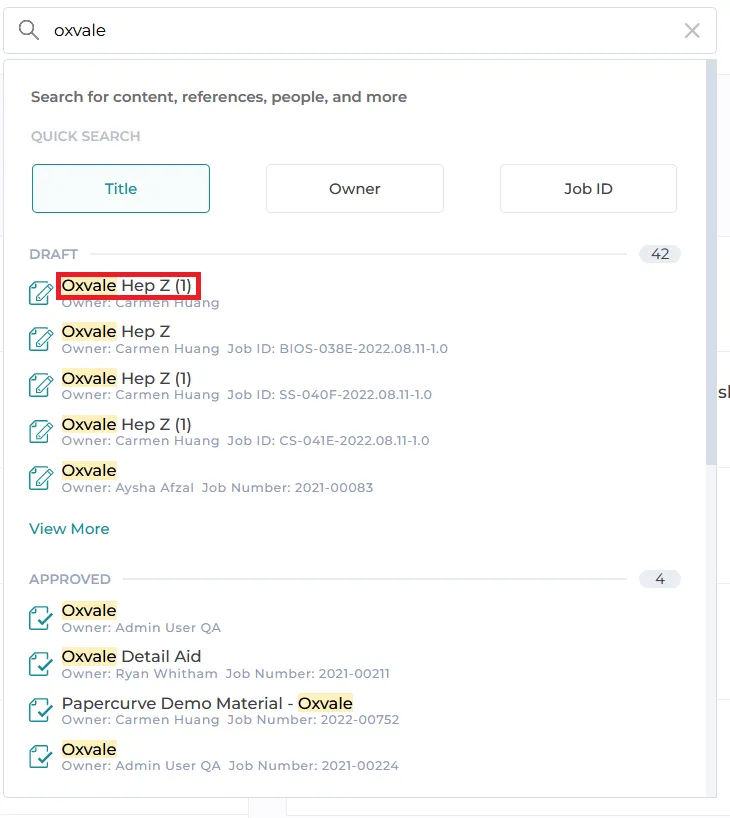
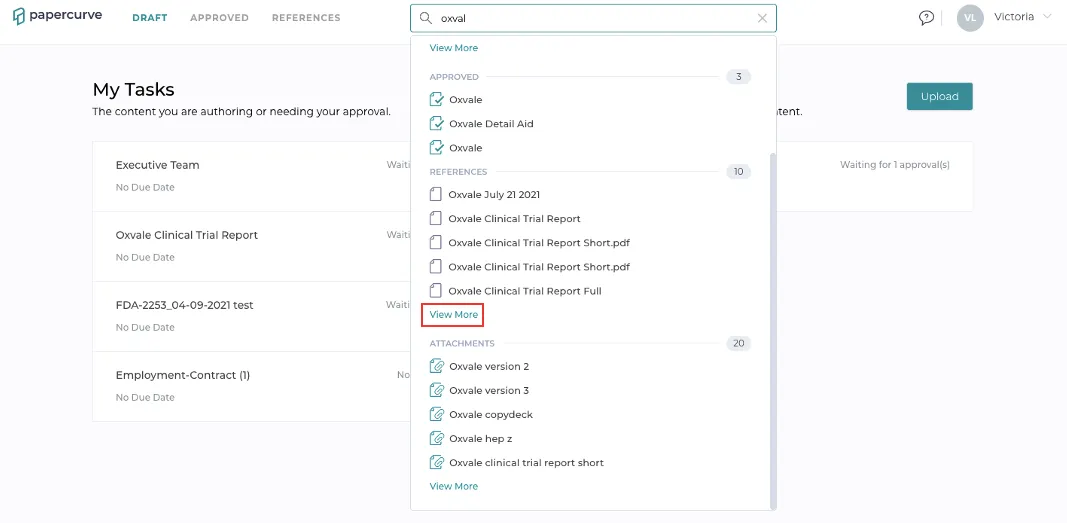
- You’ll notice that the results are grouped into sections for Draft, Approved, References and Attachments.
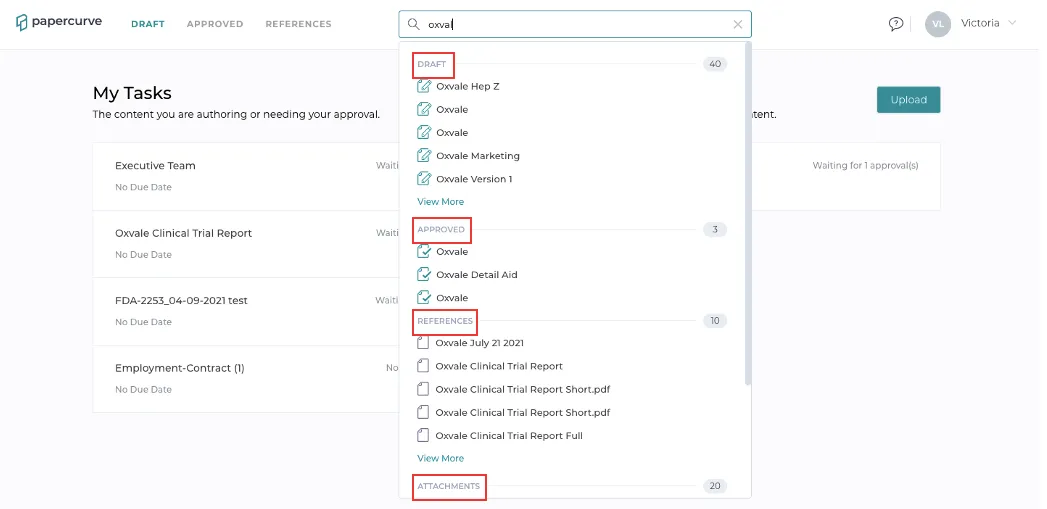
- If there are more than five results for a section, see the full results by clicking the View More link.
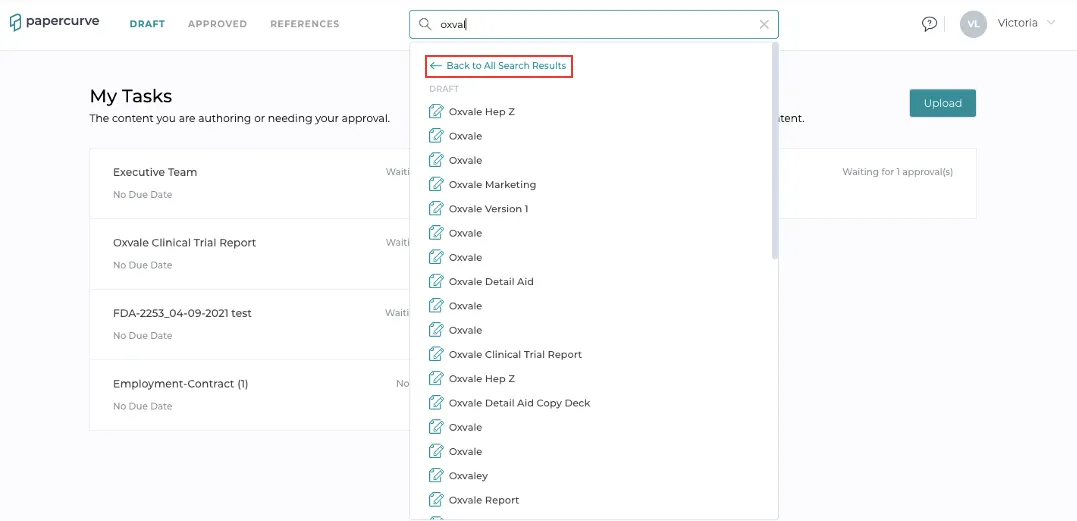
- To return to the main results click Back to All Search Results, located near the top.
Note: Clicking a result will navigate you to the corresponding content. Clicking an attachment will take you to the parent content and open the attachments side panel.
New in Papercurve 3: What if your content could answer back?Ask Paige turns any Papercurve library into an assistant for your team: what claims are cleared, which reference backs them, how the last piece said it. Grounded in your approved content, cited to the page.See what's new in Papercurve 3 →New in Papercurve 3: Your approved library already knows what you can sayAsk Paige what claims you've cleared, which reference supports each one, and how the last approved piece phrased it. Answers come only from your content, cited to the page.See what's new in Papercurve 3 →New in Papercurve 3: Find the number before you find the pageAsk Paige "which source supports the 42% reduction?" and get the reference, the page, and the exact line. Every answer is cited, so reviewers verify instead of hunting.See what's new in Papercurve 3 →New in Papercurve 3: Turn your approved content into a support deskPoint Ask Paige at a library, give it a role, and it answers questions the way your team would, from approved material only, with citations.See what's new in Papercurve 3 →New in Papercurve 3: An assistant that only knows what you've approvedAsk Paige answers from your documents and libraries, cites every page, and never invents what isn't there. No training on your content, no cross-client data.See what's new in Papercurve 3 →
Still have questions?
Chat
9am – 5pm Eastern Time, by clicking the icon in the bottom right corner of the screen.