


Papercurve allows anyone on your team to upload content for collaboration. Our upload tool makes transferring content to Papercurve a breeze. With Papercurve, you can upload, view, share, and edit files in a unique library of content for your entire team to review and approve.
Adding a document
1. In your Papercurve instance, navigate to the Dashboard tab – from here you will be able to see the + New button on the top right.

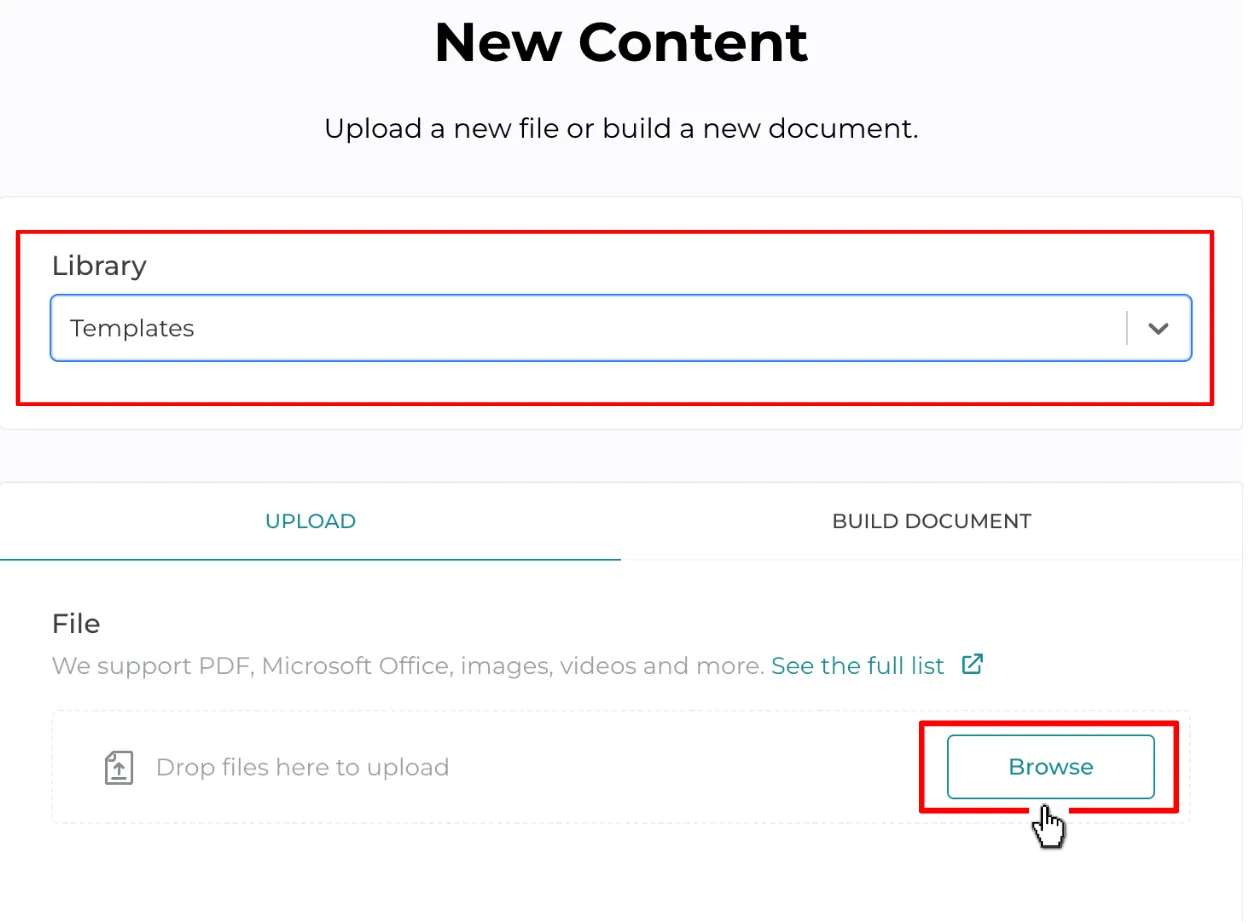
2. Click New, and then select a library for your file. After that, you can select the import source for your file using the Browse button.
- Once you have uploaded your files and selected a library, you must fill in any relevant content properties that will be unique to the library selected. If your document doesn’t need a review team’s approval, then you can use the auto-approve toggle to provide the approval using your password and automatically release the document into the approved library.
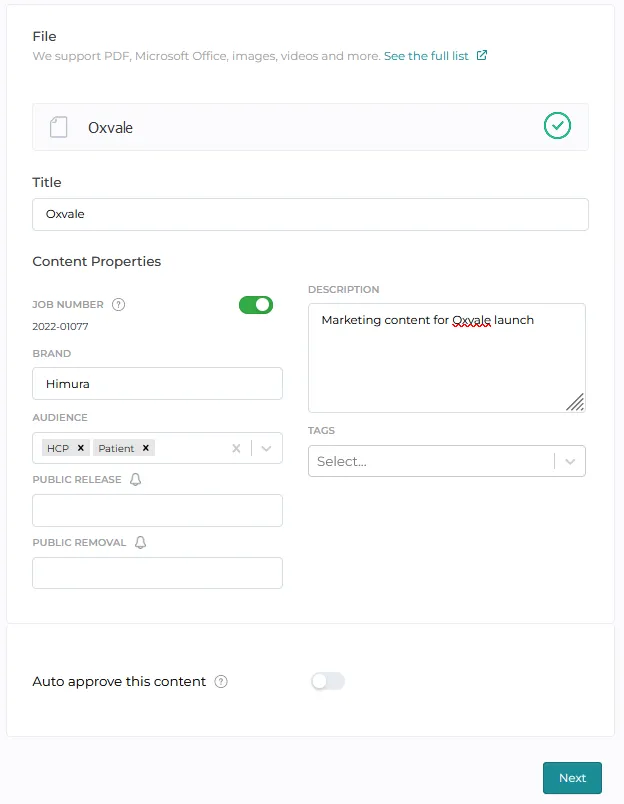
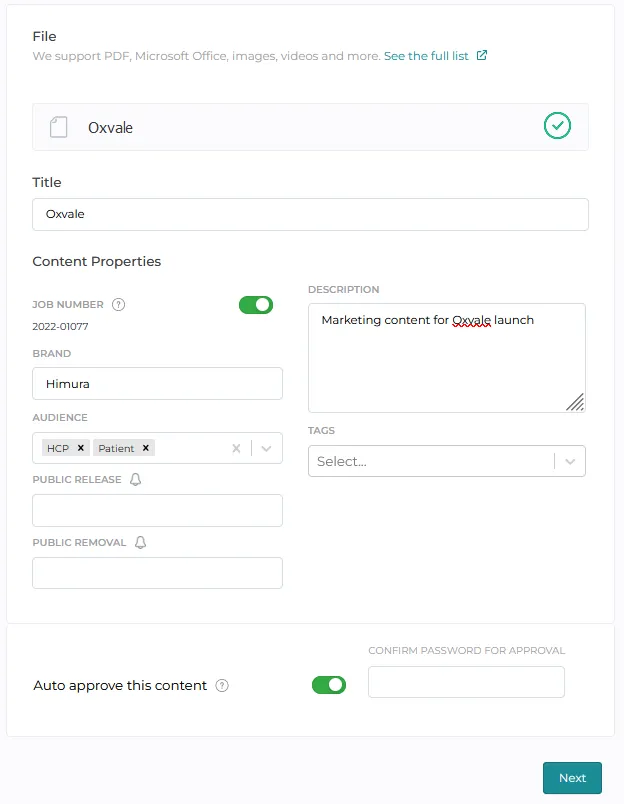
4. Click “Next” to view the uploaded file.
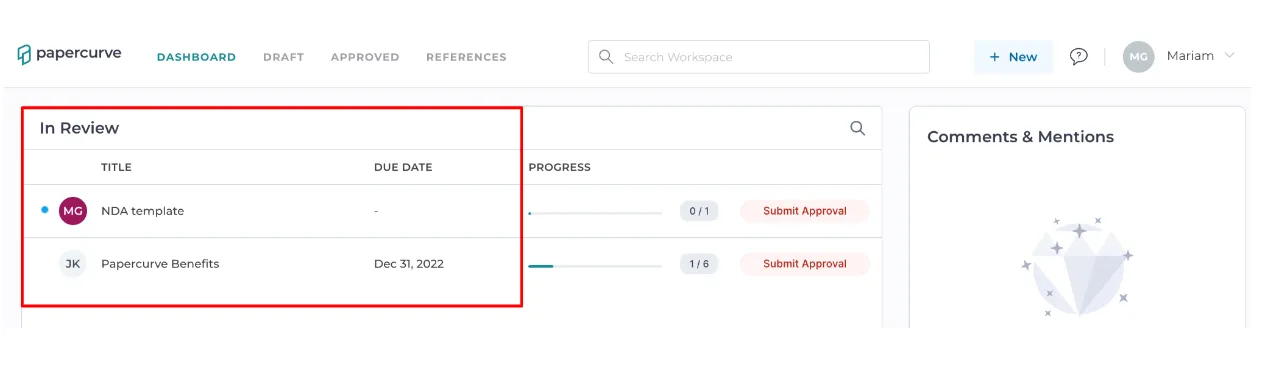
- Once the document has been successfully uploaded, it will appear In Review on your Papercurve dashboard. From here, you will be able to edit your content as well as submit it for review and approval.
Error when trying to upload file(s).
If you encounter an issue when uploading your files, try these steps to troubleshoot the content that you are trying to upload:
-
Please make sure that your document has the correct file type (PDF, DOCX, XSLS, PPTX)
-
Please make sure that your document is within the size limit of 100MB
-
For videos, Papercurve accepts the following file types listed [here](https://docs.aws.amazon.com/mediaconvert/latest/ug/reference-codecs-containers-input.html#reference-codecs-containers-input-video) (size limit of 500MB)
-
If you are unable to upload your document after following the above steps, your document/file may be corrupted or have an error. Please make a new copy of the document to upload.
Still have questions?
Chat
9am – 5pm Eastern Time, by clicking the icon in the bottom right corner of the screen.