

A blank document in Papercurve Office provides maximum flexibility for users to write content and design documents

Start a New Office Document
With Papercurve Office, you have the ability to start from scratch and build your own documents directly on the platform. Starting with a blank document allows users to create content, tailoring it to their specific needs. This is important for users who require a high degree of customization in their documents.
Here’s how:
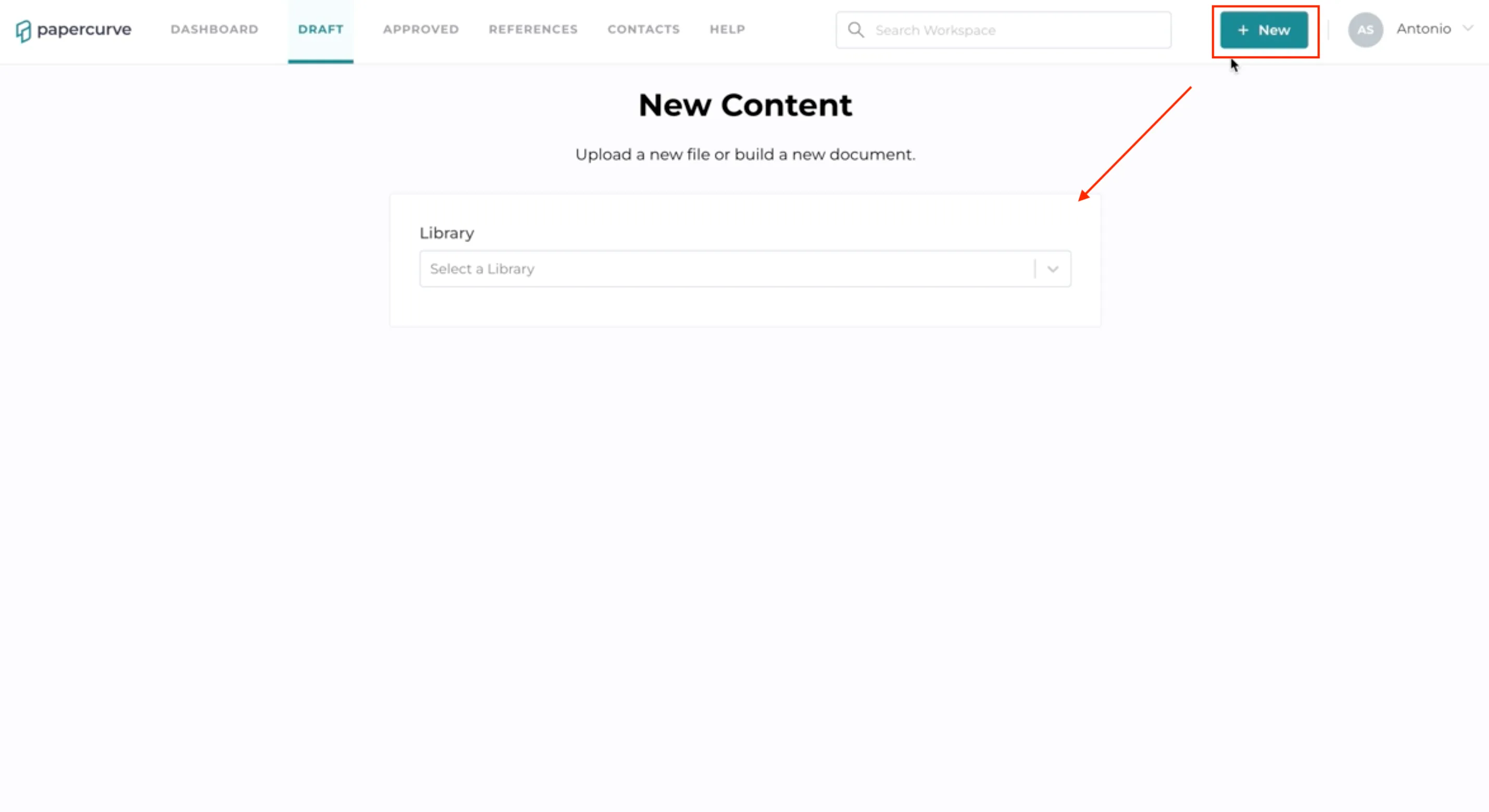
- Click “New” to upload a document. Select a library you would like the document to be added to.
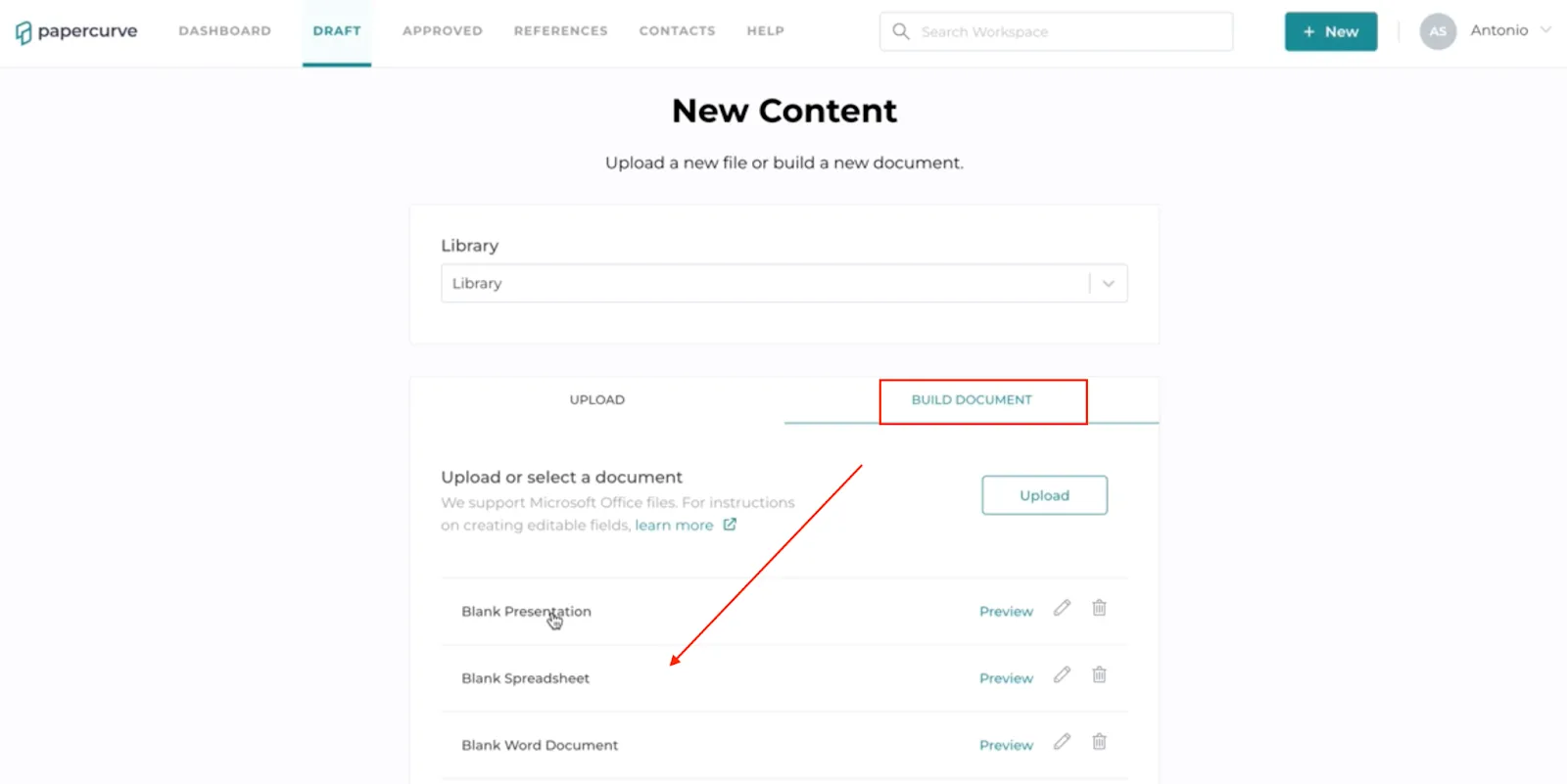
- Once you have selected a library, select “Build Document”, choose a blank document of your choice and hit “Next”.
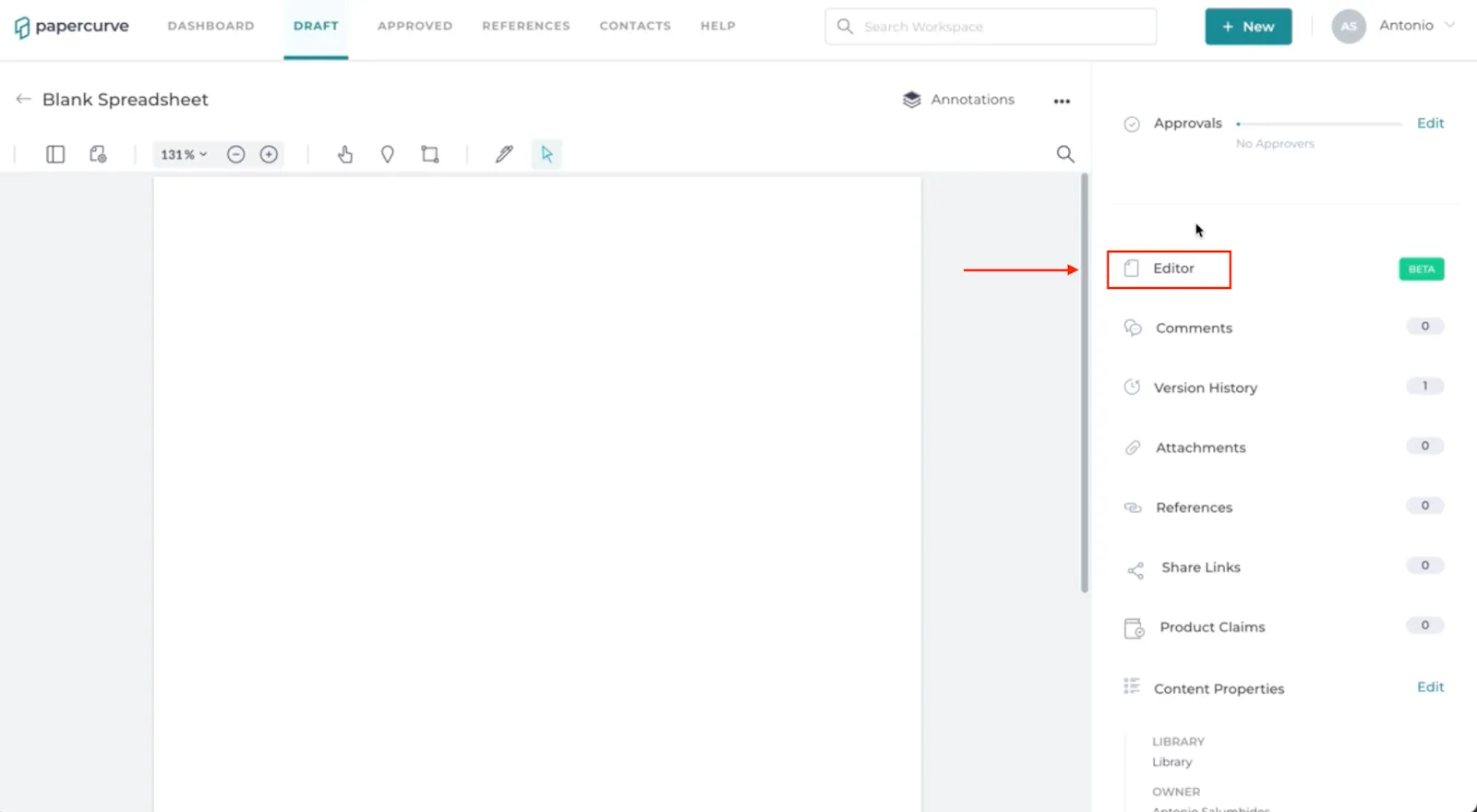
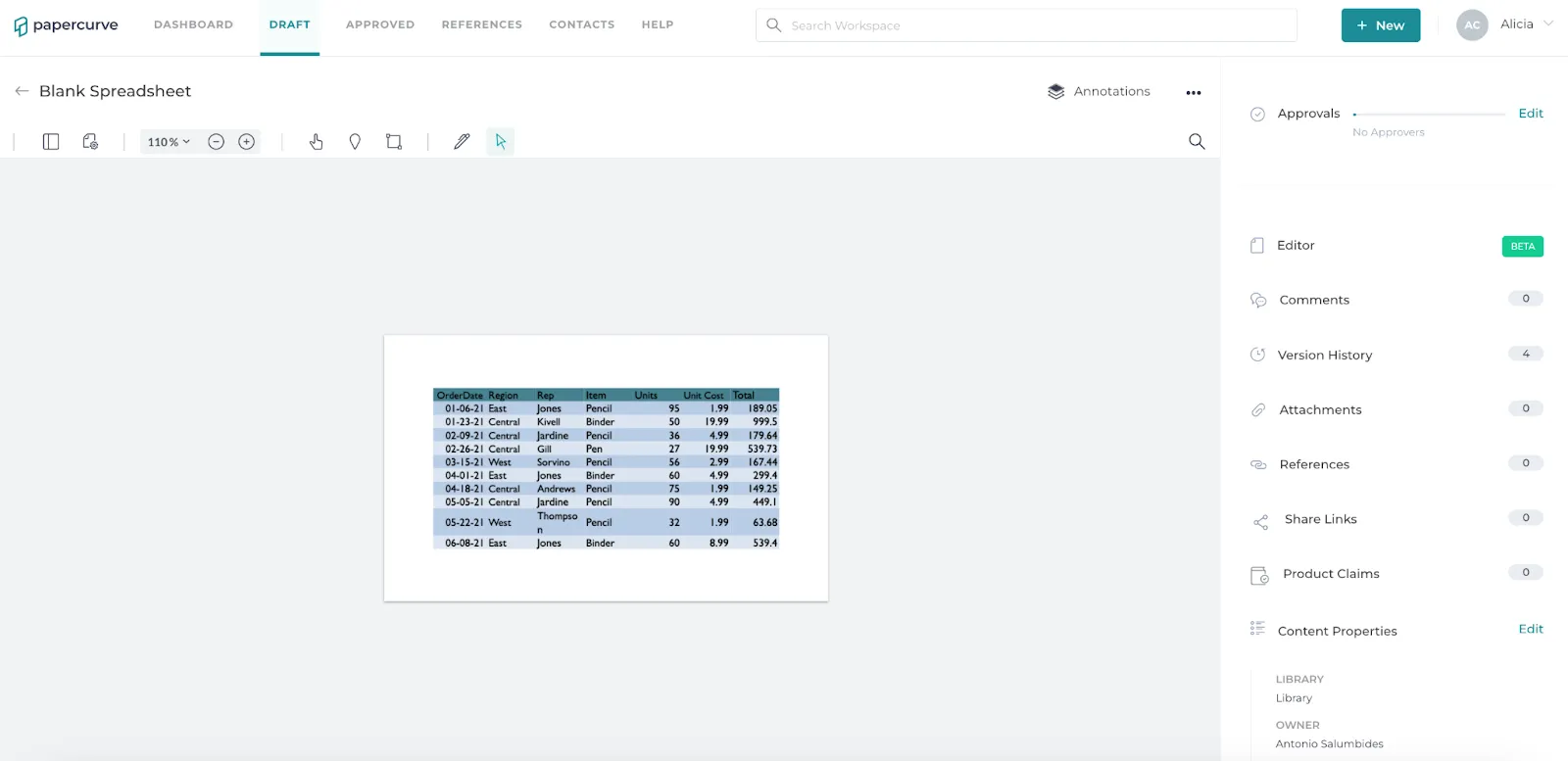
- You will now view a blank document on the draft screen. Select “Editor” to begin creating/editing your document.
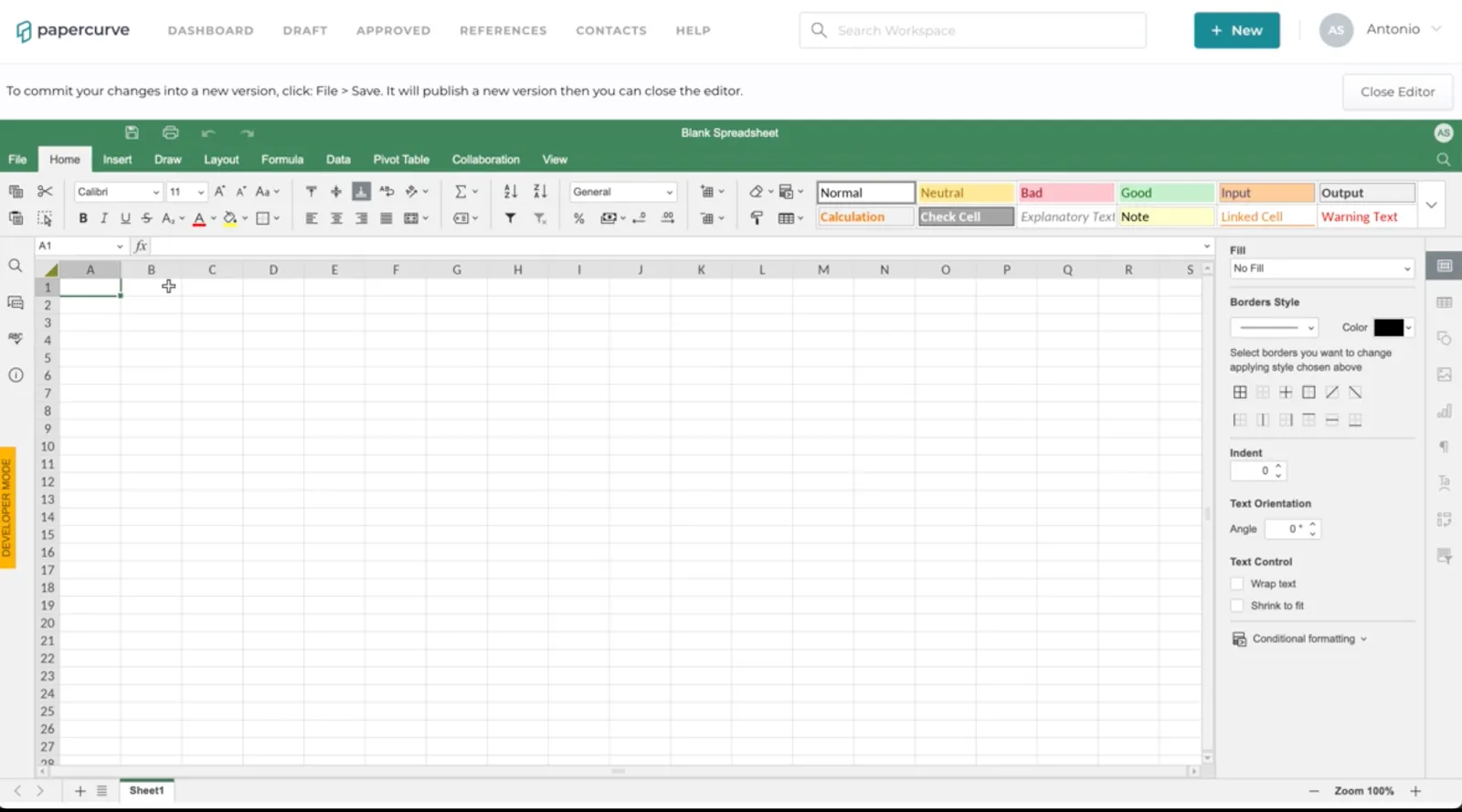
- After making your edits, always hit SAVE to ensure your content saves. Content is lost if you do not select “save”. Select “Close Editor” to return to the draft screen. This will save a new version of your document.
New in Papercurve 3: What if your content could answer back?Ask Paige turns any Papercurve library into an assistant for your team: what claims are cleared, which reference backs them, how the last piece said it. Grounded in your approved content, cited to the page.See what's new in Papercurve 3 →New in Papercurve 3: Your approved library already knows what you can sayAsk Paige what claims you've cleared, which reference supports each one, and how the last approved piece phrased it. Answers come only from your content, cited to the page.See what's new in Papercurve 3 →New in Papercurve 3: Find the number before you find the pageAsk Paige "which source supports the 42% reduction?" and get the reference, the page, and the exact line. Every answer is cited, so reviewers verify instead of hunting.See what's new in Papercurve 3 →New in Papercurve 3: Turn your approved content into a support deskPoint Ask Paige at a library, give it a role, and it answers questions the way your team would, from approved material only, with citations.See what's new in Papercurve 3 →New in Papercurve 3: An assistant that only knows what you've approvedAsk Paige answers from your documents and libraries, cites every page, and never invents what isn't there. No training on your content, no cross-client data.See what's new in Papercurve 3 →
Still have questions?
Chat
9am – 5pm Eastern Time, by clicking the icon in the bottom right corner of the screen.