


Share Link Analytics
One of many disadvantages of sending content by email is that you never know whether the recipient received it, viewed it, or skipped over it.
Share Link analytics allows the content review team to keep track of how their share links are performing with detailed insights. With these analytics, the team can decide their next steps.
To learn how to use Share Link, click here.
1. To view how your share links are performing, navigate to your account by clicking on your name in the top right corner and then click on “Share Link Analytics”

2. Your Share Link analytics will provide you with the following information:
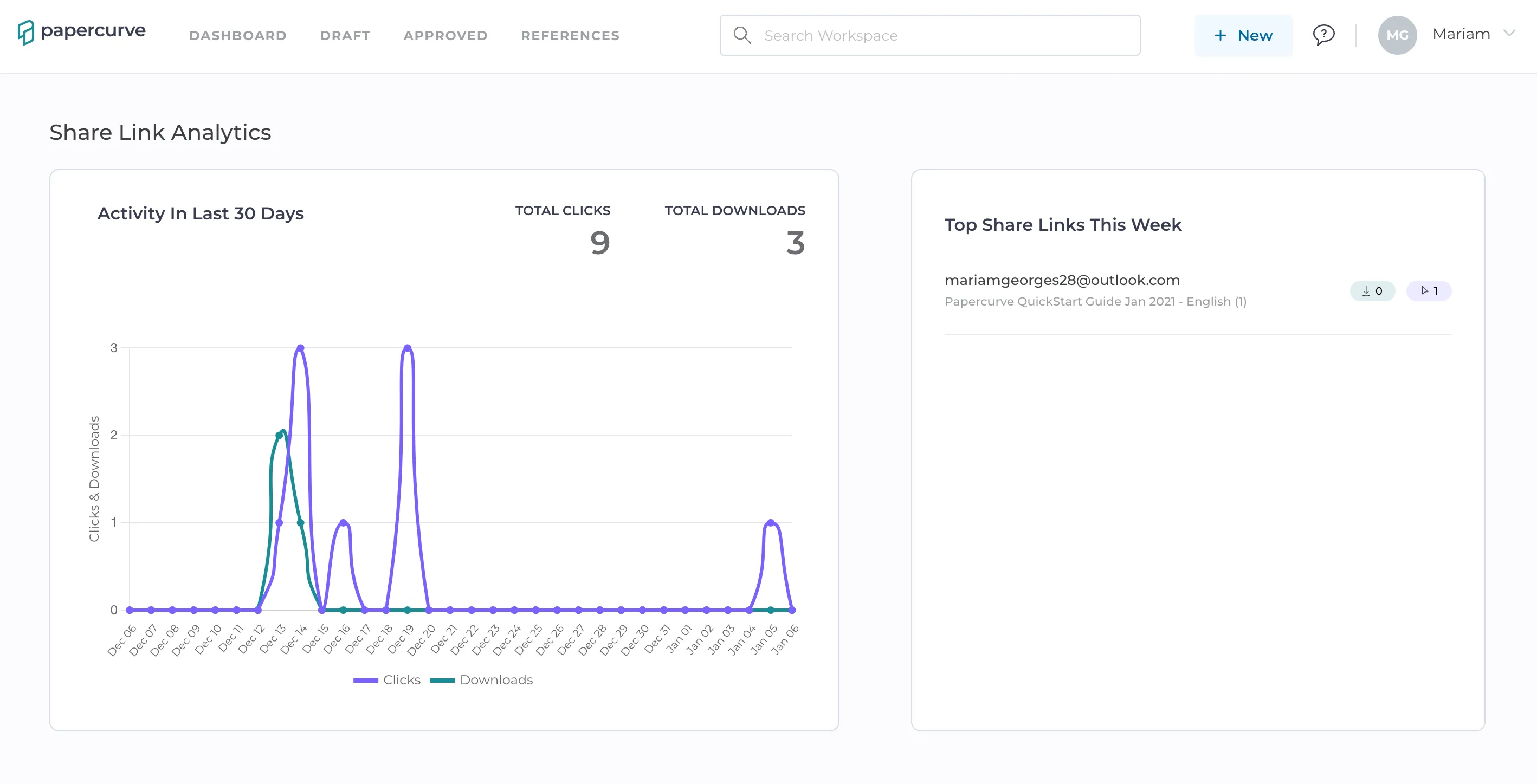
3. You can also view the Share Link Activity of all created share links underneath the Share Link Analytics. This provides you with the number of downloads, clicks and the total time someone viewed your share links.

4. By using the search bar, you can search for a specific share link.


Still have questions?
Chat
9am – 5pm Eastern Time, by clicking the icon in the bottom right corner of the screen.