


How to Trace References in Papercurve
What is reference traceability?
Reference traceability is a critical aspect of writing and publishing in the life sciences. With our newest update, reference traceability enables authors, researchers, and editors to easily track and find where reference citations are used in content, thereby facilitating seamless updating, cross-referencing, and making corrections. By enabling precise tracking of references, Papercurve enhances the accuracy and credibility of life science content. Errors in citations can be promptly corrected, and users can easily verify the sources cited. This function significantly reduces the manual effort required to track references.
Here’s how:
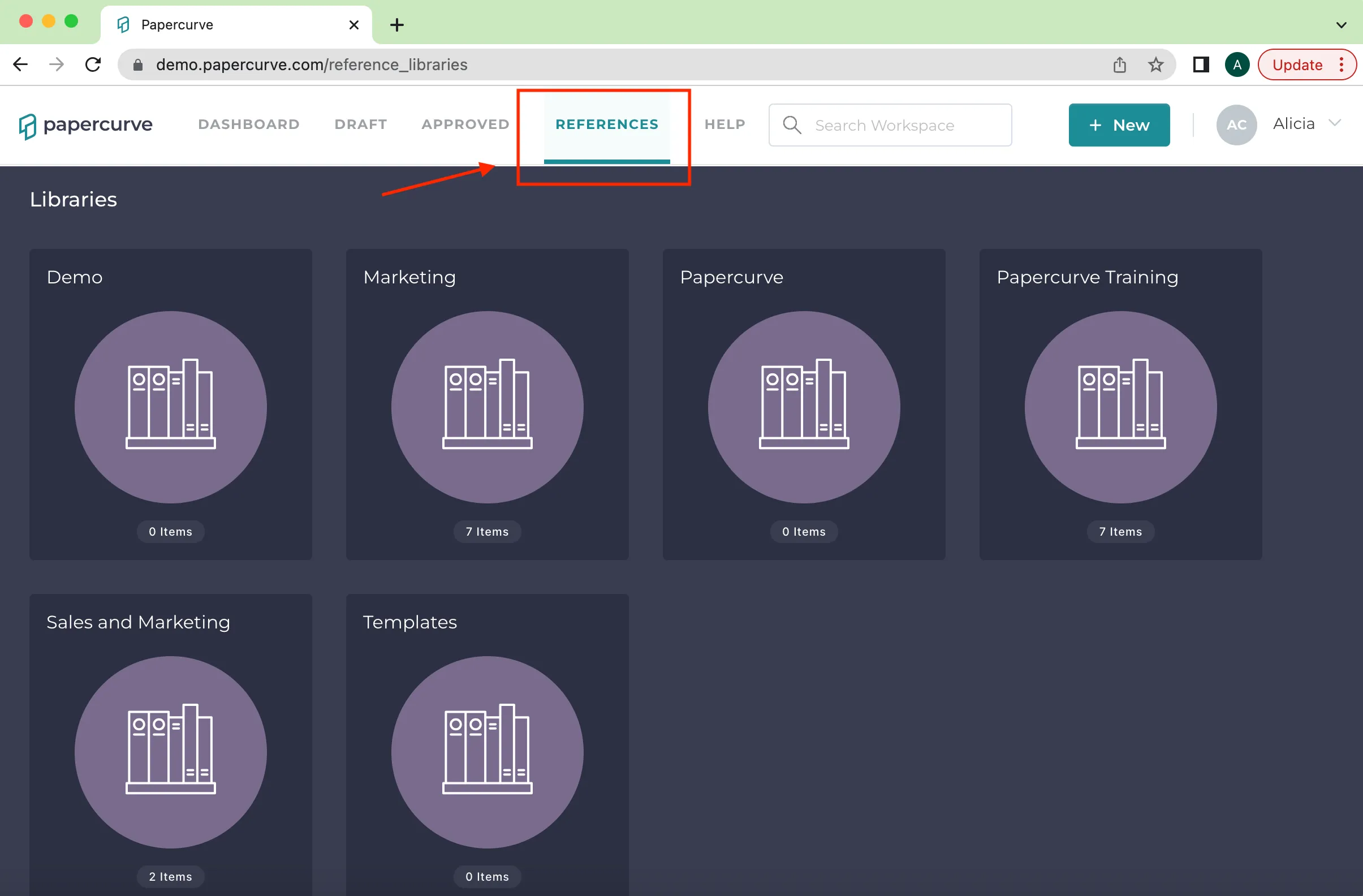
- Login to Papercurve, select “References” tab in the top navigation bar to access your desired reference library. Select the correct library that has the reference documents you require.
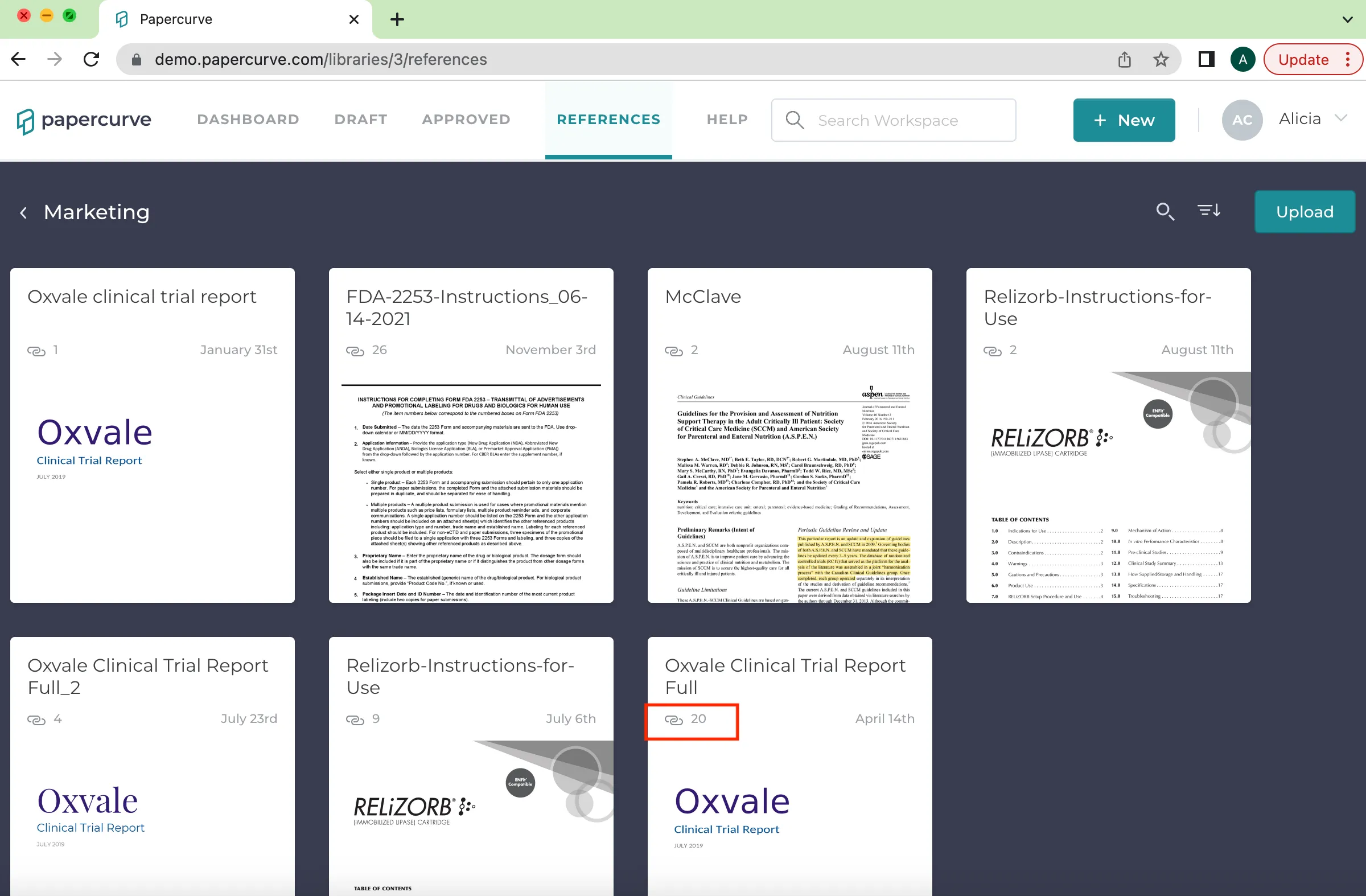
- Once you are in the correct library, select the reference document you require. The highlighted region on the image below indicates how many times the document has been referenced.
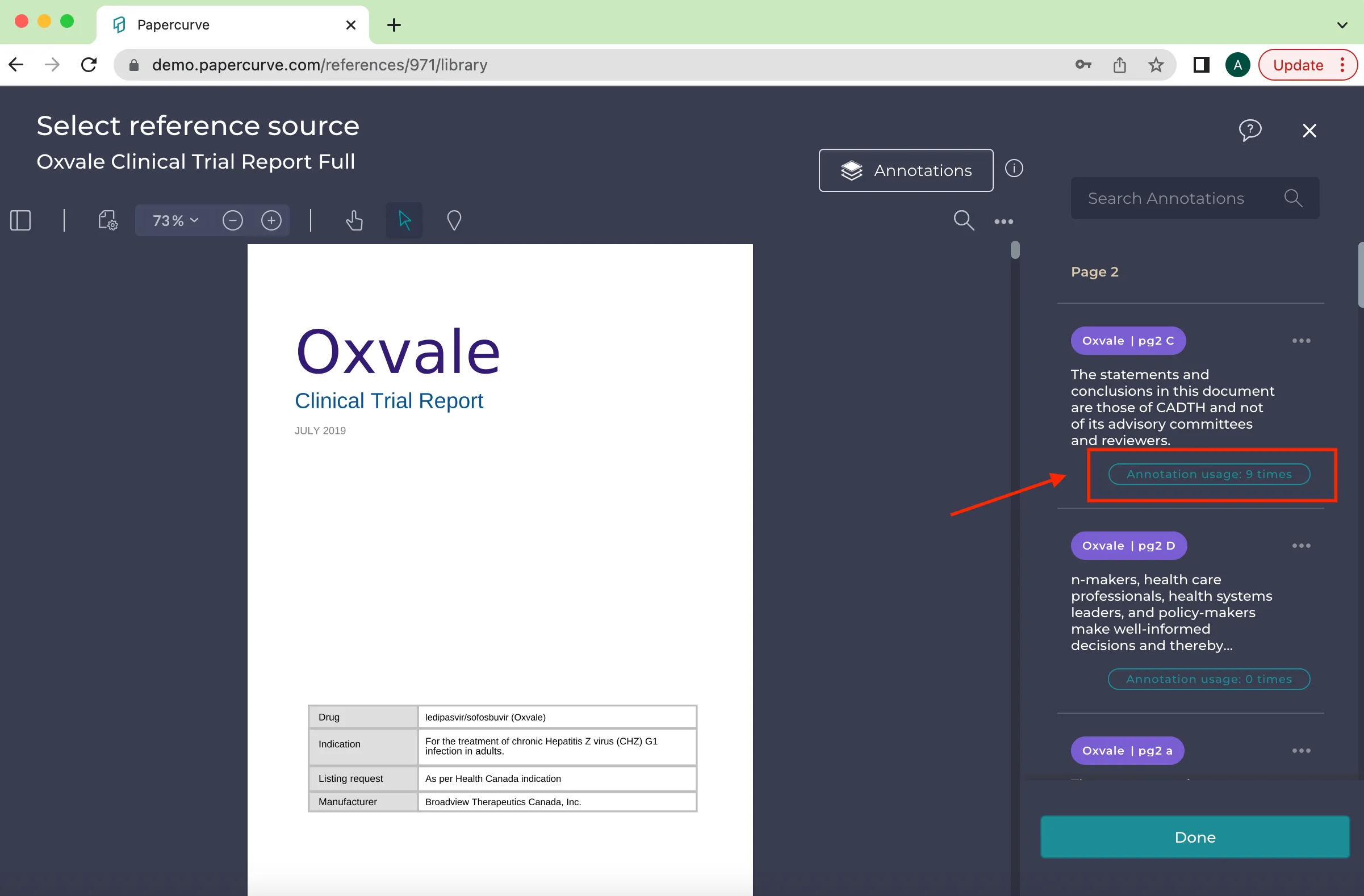
- The selected reference document will open. Once open, select “Annotation usage” in the side bar.
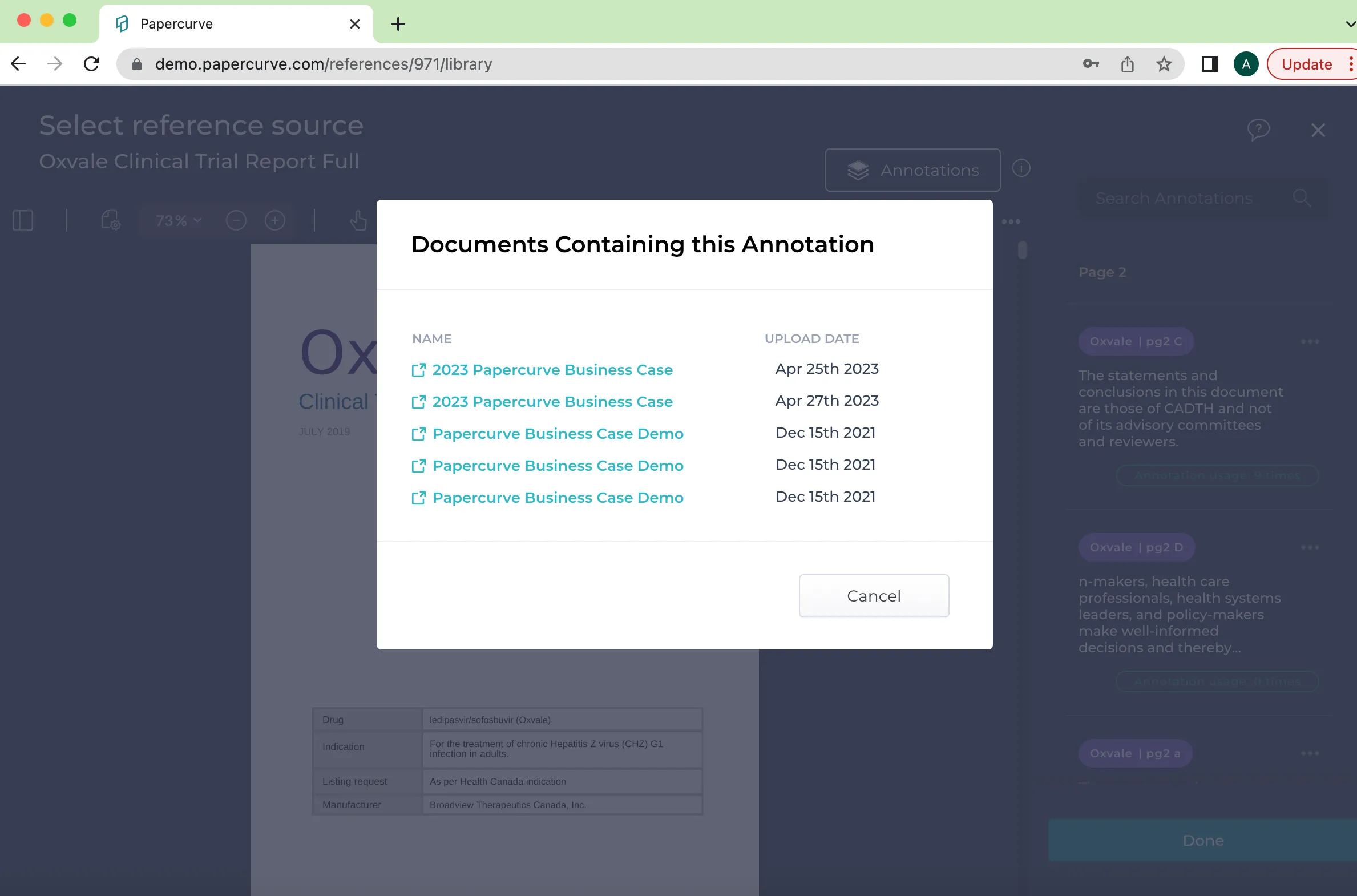
- Once you select “Annotation Usage” in the sidebar, a pop-up will display all the documents in your workspace that has used the selected annotation. If a change needs to be made to the annotation, you now have a list of the documents that currently use the annotation and you can simply click each document to make the necessary changes.
New in Papercurve 3: What if your content could answer back?Ask Paige turns any Papercurve library into an assistant for your team: what claims are cleared, which reference backs them, how the last piece said it. Grounded in your approved content, cited to the page.See what's new in Papercurve 3 →New in Papercurve 3: Your approved library already knows what you can sayAsk Paige what claims you've cleared, which reference supports each one, and how the last approved piece phrased it. Answers come only from your content, cited to the page.See what's new in Papercurve 3 →New in Papercurve 3: Find the number before you find the pageAsk Paige "which source supports the 42% reduction?" and get the reference, the page, and the exact line. Every answer is cited, so reviewers verify instead of hunting.See what's new in Papercurve 3 →New in Papercurve 3: Turn your approved content into a support deskPoint Ask Paige at a library, give it a role, and it answers questions the way your team would, from approved material only, with citations.See what's new in Papercurve 3 →New in Papercurve 3: An assistant that only knows what you've approvedAsk Paige answers from your documents and libraries, cites every page, and never invents what isn't there. No training on your content, no cross-client data.See what's new in Papercurve 3 →
Still have questions?
Chat
9am – 5pm Eastern Time, by clicking the icon in the bottom right corner of the screen.