


When working with a file with classified information, our redaction tool allows customers to remove (not just cover or obscure) content within a PDF document. Redaction is a form of editing where information is permanently removed from a confidential document prior to being distributed.
The ability to remove sensitive content within a document is critical when managing government approval letters, vendor contracts, patent specification, or dealing with any external party.
Try out Redaction via our demo link: https://viewer.papercurve.com/demo/8.0/samples/advanced/redaction
How it Works
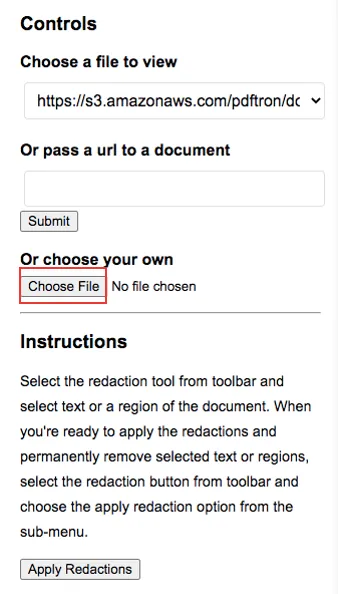
1. To begin, upload your desired document to the platform by clicking on the Choose File button. You can also insert a URL right above.
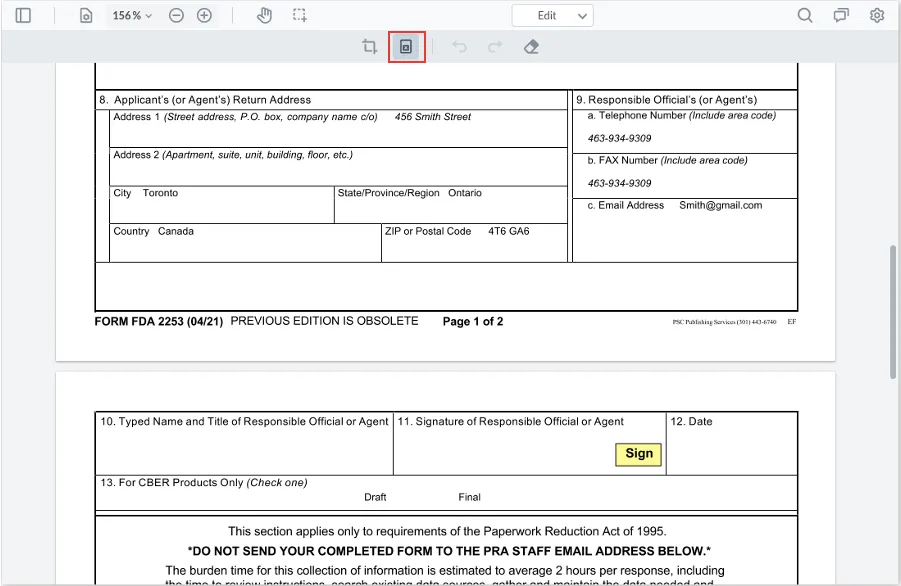
2. Once your document is successfully uploaded, navigate to the Redact button on the top toolbar.
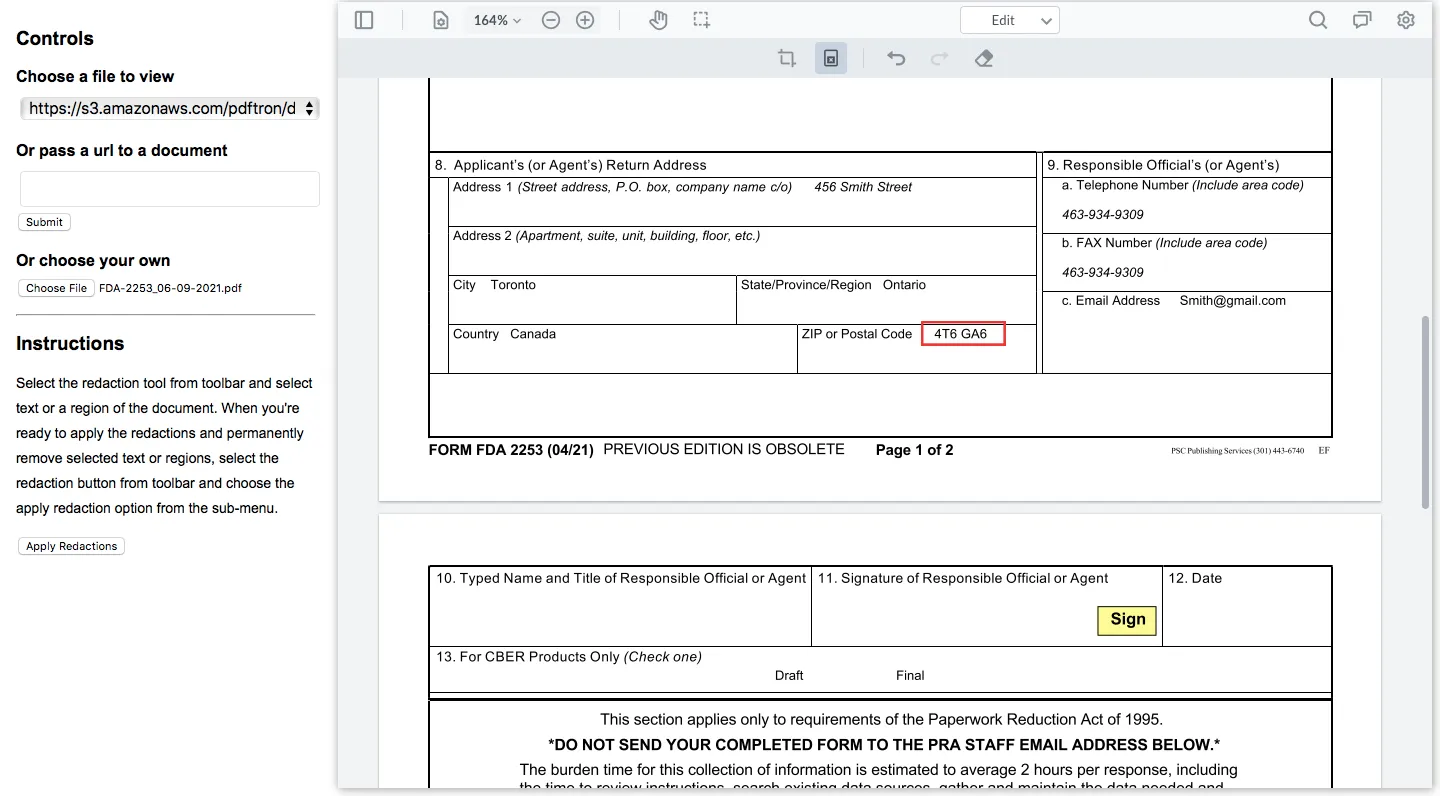
3. Outline the text that you would like to redact. In this case, I would like to hide my personal information such as my postal code. After selecting this area, a red outline will appear as so.
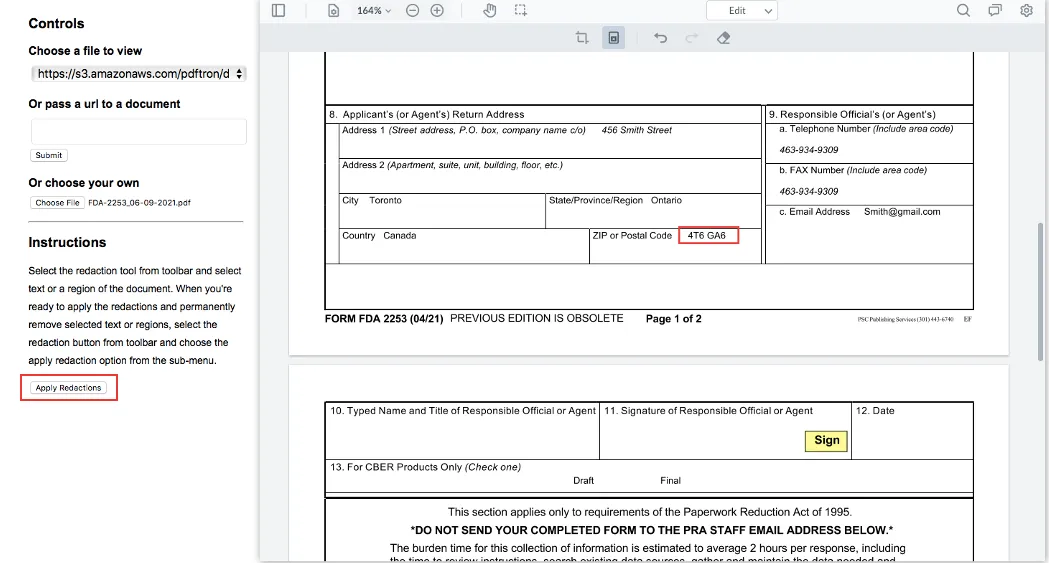
4. Once you have selected the text(s) in which you would like to redact, click on Apply Redactions in the left side panel.
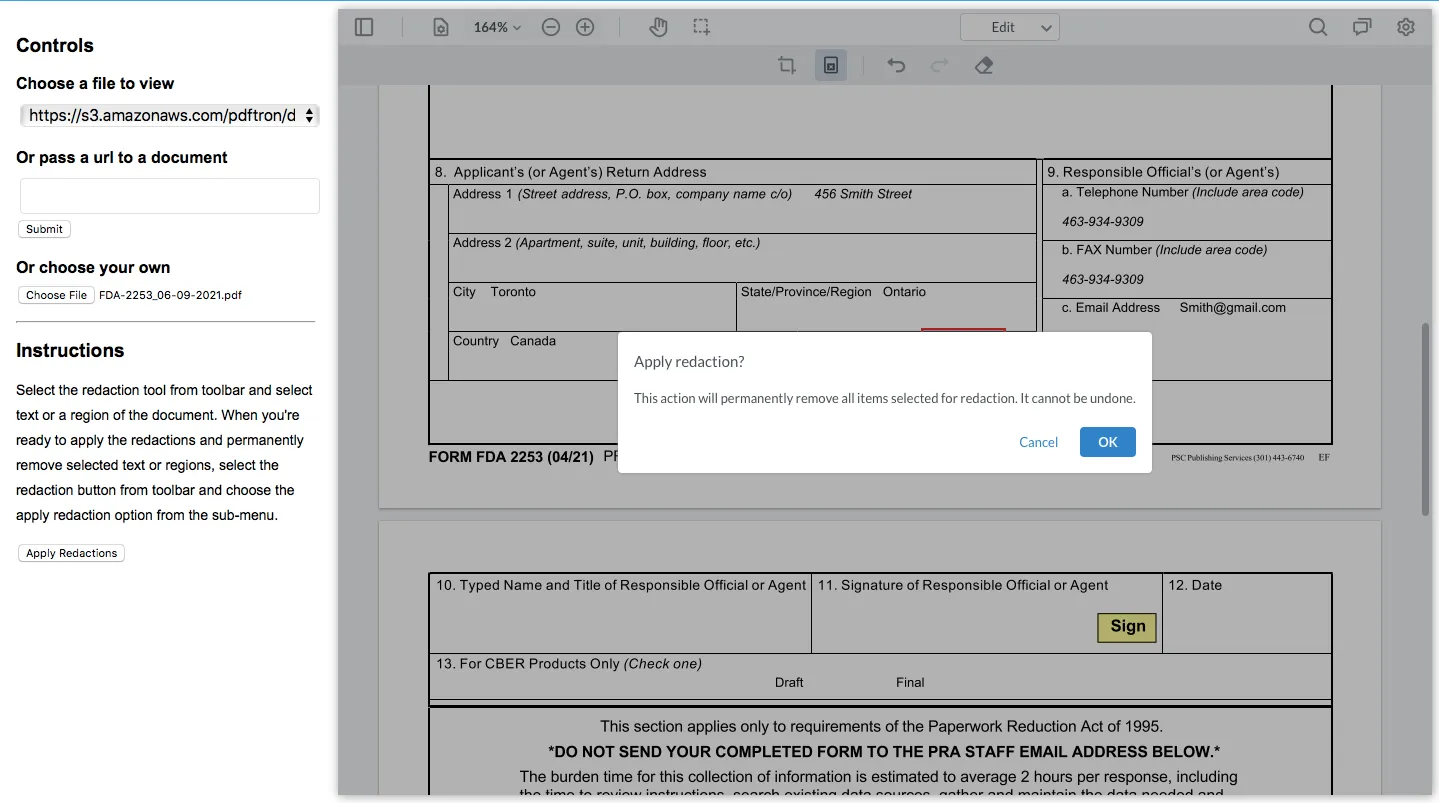
5. A window will appear to remind you that this action cannot be undone. Click Ok.
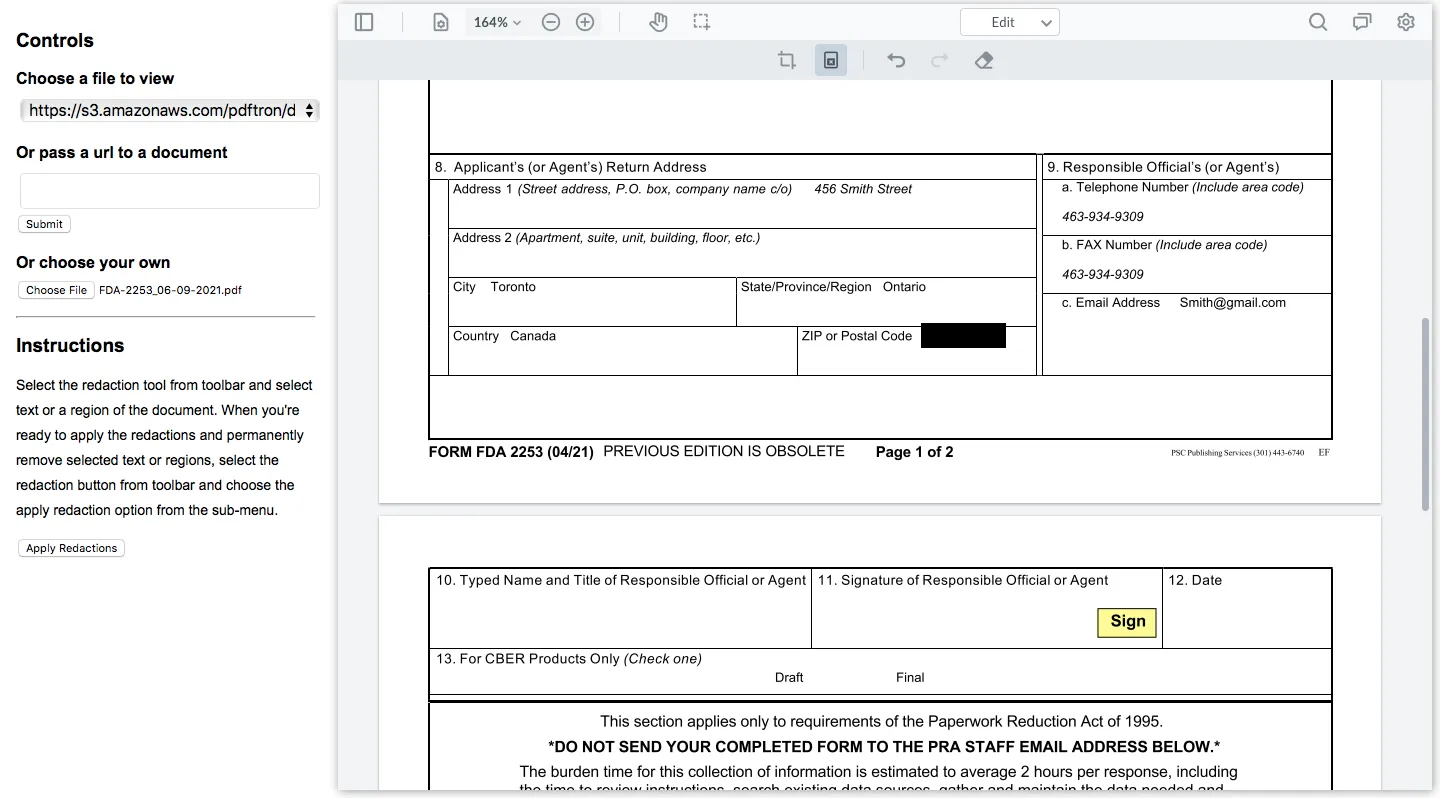
6. The redacted text will now be hidden under a black layer.
Still have questions?
Chat
9am – 5pm Eastern Time, by clicking the icon in the bottom right corner of the screen.