


Multi-Select Fields
Multi-Select Fields make it easy to select multiple options for one (or more) property. This simple feature adds a layer of customizability throughout the approval process so customers can have peace of mind that they have all the necessary tools they need to complete their reviews.
Multi-Select Fields is similar to Tags in that multiple options can be chosen and assigned to one property. The key difference between the two is that the user cannot create new input fields that haven’t already been made by the client. To edit any predefined options, customers can contact our Customer Success Team to arrange modifications.
How it works
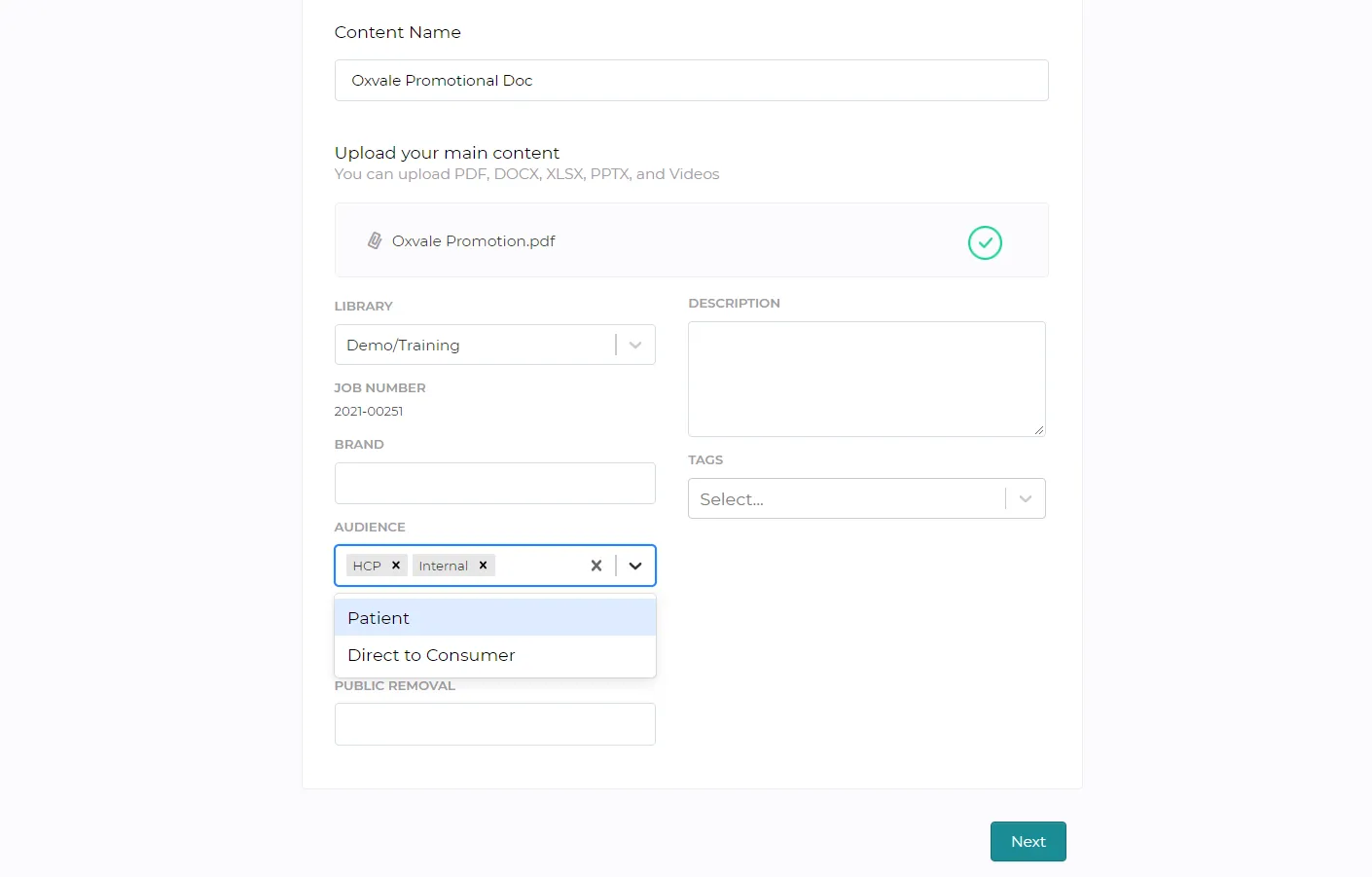
a) When uploading a new document, the Content Properties page will display metadata fields to be completed. Users can simply click on a field to trigger the dropdown window. Once the user has selected the desired option(s), those inputted options will now be associated with that field.
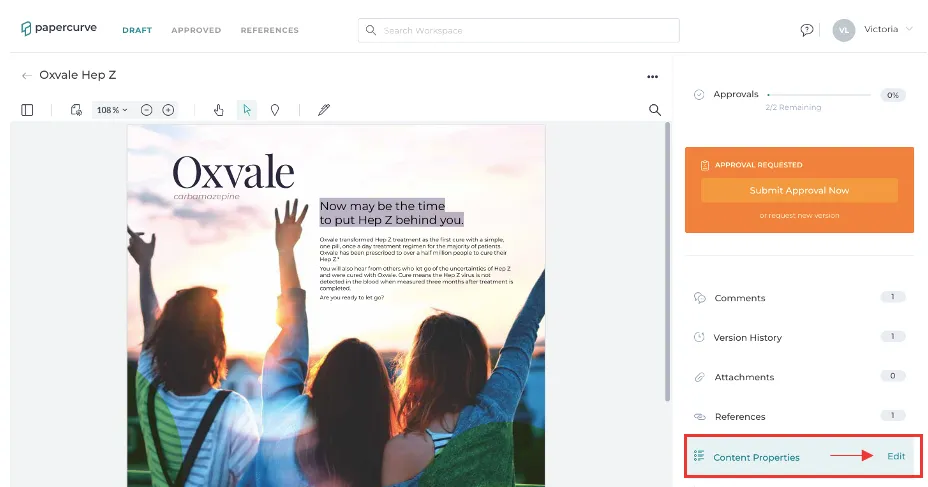
b) Users can also edit the Multi-Select Fields after a document has been uploaded. Click the “Edit” button in the “Content Properties” side panel of the main document.
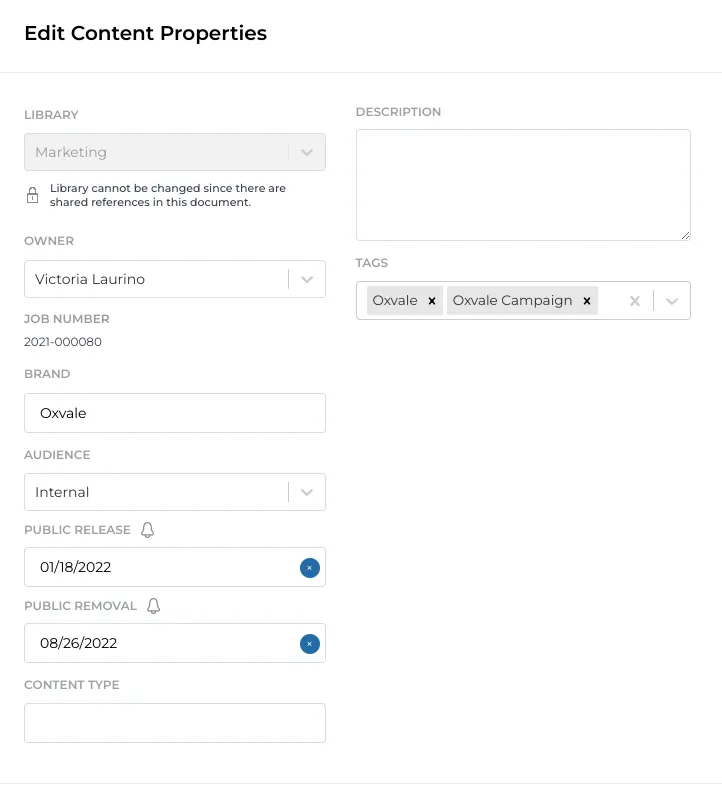
c) A window titled “Edit Content Properties,” will appear. Users can now make modifications to the metadata fields provided. Once finished, click Save to apply any changes and return to the main document.
Still have questions?
Chat
9am – 5pm Eastern Time, by clicking the icon in the bottom right corner of the screen.