

Discover default settings, such as the "subscribed" flag, and explore the automated process of enabling contacts to unsubscribe.

Managing Subscriptions in Papercurve CRM Verified Email
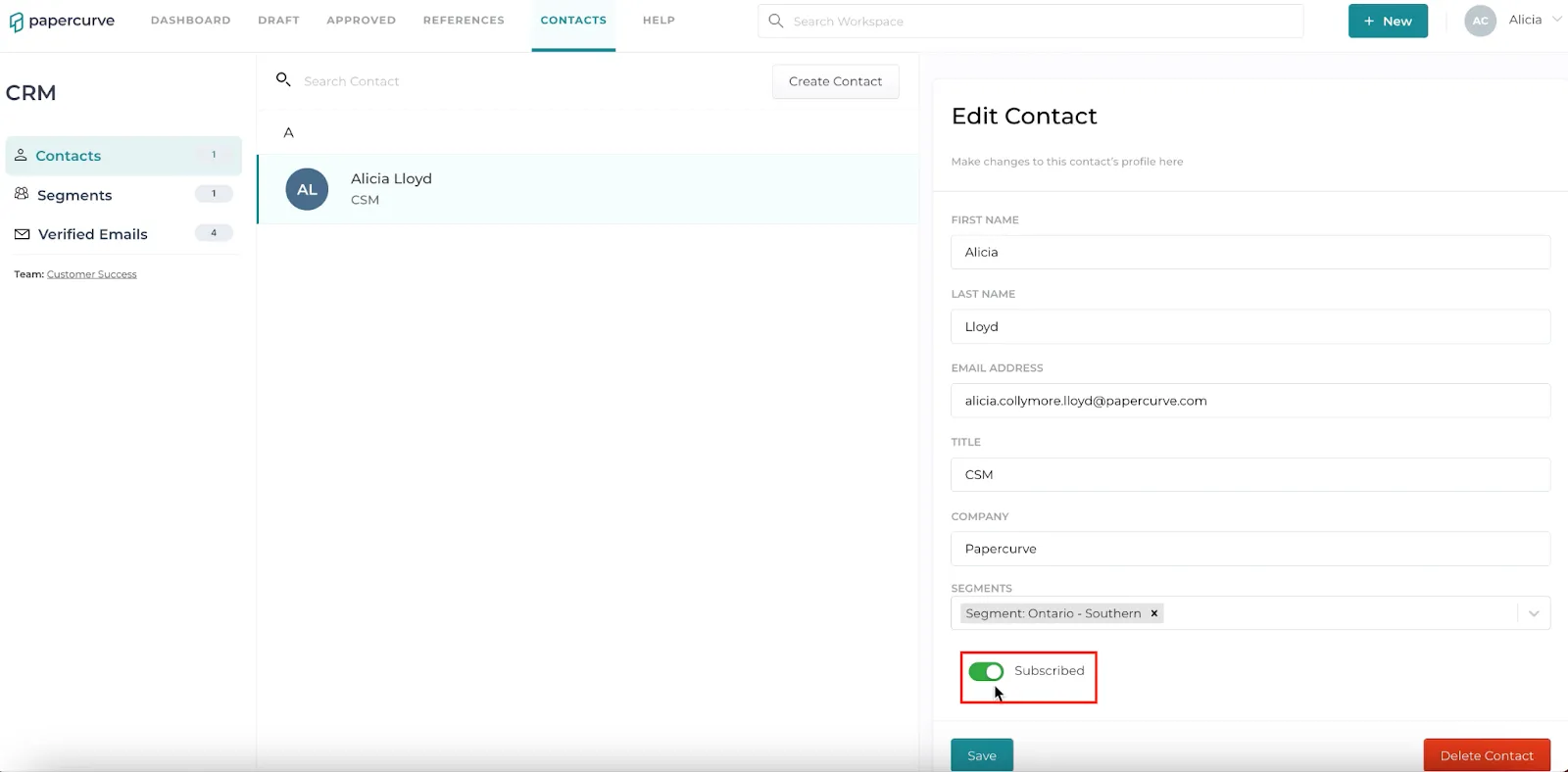
Learn how to effectively handle email subscriptions with Papercurve CRM’s Verified Email Contacts. By default, a contact is marked as “subscribed,” indicated by an attached flag that is turned ON. Explore the tutorial to understand how, upon receiving an email, contacts are automatically provided with an “unsubscribe” link, enabling them to opt out of future communications.
Here’s how:
- On your “Contacts” screen, you can see a list of contacts that are subscribed to your emails.
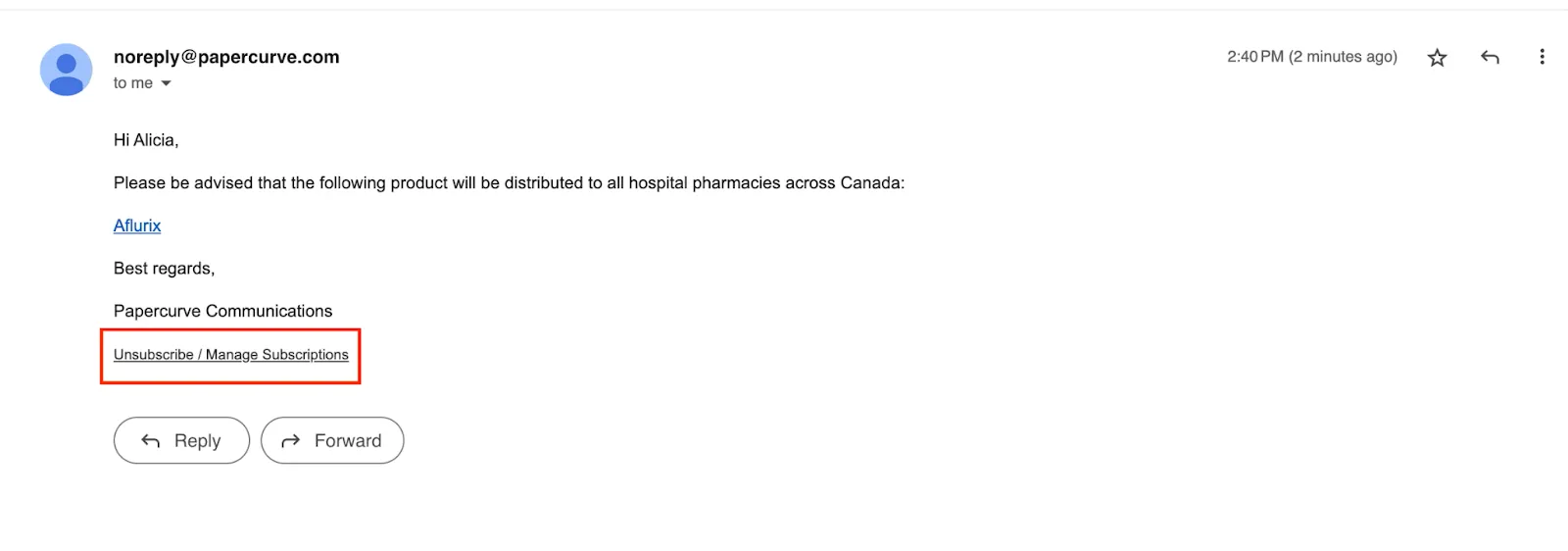
- Once a contact receives an email, they are provided with an “unsubscribe” link which allows them to opt-out of all emails or emails from a specific segment.
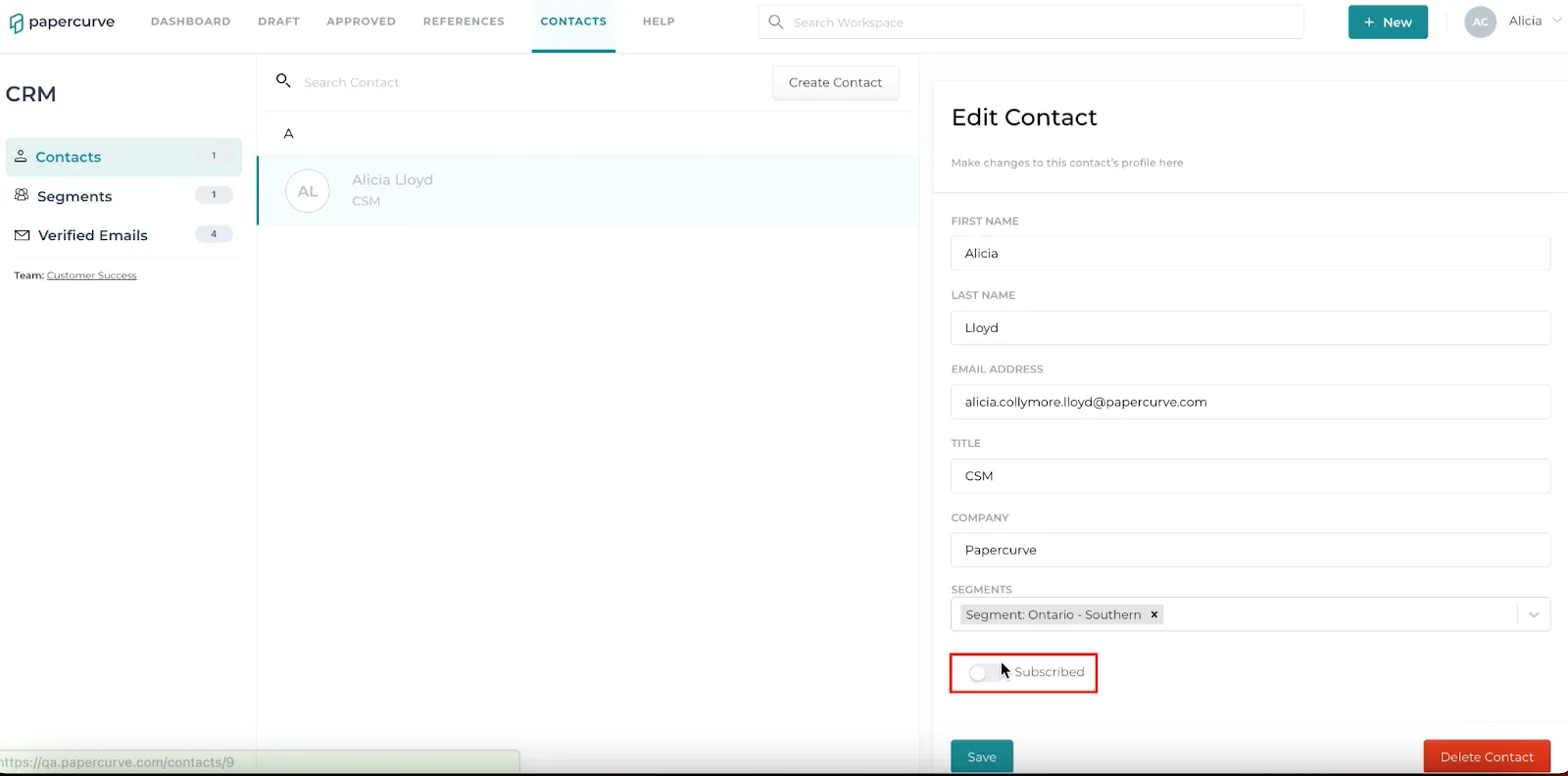
- Once a contact unsubscribes, the contact name will be unhighlighted and the subscribe toggle will be turned OFF. They will no longer receive all emails or emails delivered to a specific segment.
New in Papercurve 3: What if your content could answer back?Ask Paige turns any Papercurve library into an assistant for your team: what claims are cleared, which reference backs them, how the last piece said it. Grounded in your approved content, cited to the page.See what's new in Papercurve 3 →New in Papercurve 3: Your approved library already knows what you can sayAsk Paige what claims you've cleared, which reference supports each one, and how the last approved piece phrased it. Answers come only from your content, cited to the page.See what's new in Papercurve 3 →New in Papercurve 3: Find the number before you find the pageAsk Paige "which source supports the 42% reduction?" and get the reference, the page, and the exact line. Every answer is cited, so reviewers verify instead of hunting.See what's new in Papercurve 3 →New in Papercurve 3: Turn your approved content into a support deskPoint Ask Paige at a library, give it a role, and it answers questions the way your team would, from approved material only, with citations.See what's new in Papercurve 3 →New in Papercurve 3: An assistant that only knows what you've approvedAsk Paige answers from your documents and libraries, cites every page, and never invents what isn't there. No training on your content, no cross-client data.See what's new in Papercurve 3 →
Still have questions?
Chat
9am – 5pm Eastern Time, by clicking the icon in the bottom right corner of the screen.