


Transmittal of Advertisements and Promotional Labeling for Drugs and Biologics for Human Use (Form FDA-2253)
Form FDA-2253 is required to be filled out and submitted for any promotional material and labeling for human prescription drugs. Users can easily fill out and e-sign this form directly on the Papercurve platform, without having to use any third-party applications.
How to Fill out the Form
Users can fill out the form directly on Papercurve using our PDF Forms feature. All changes will save automatically.
- Upload the form onto your workspace.
Link to the PDF:
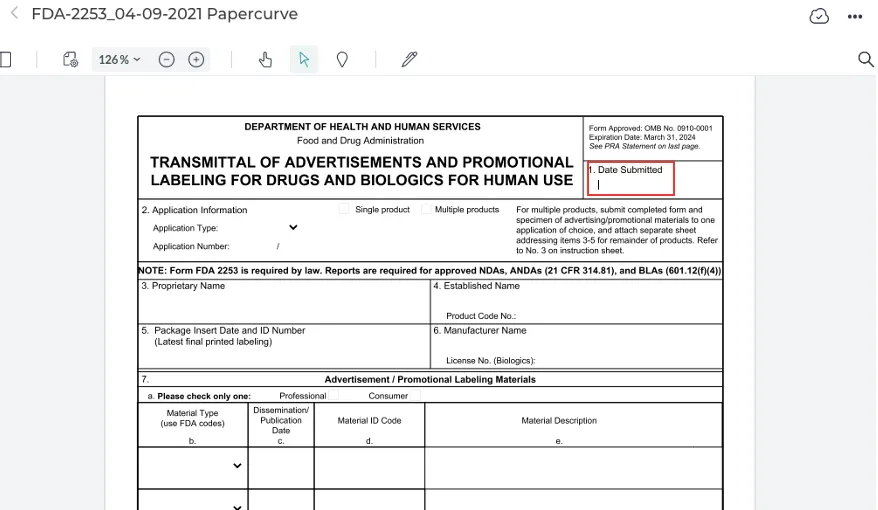
- To begin filling out the form, simply click on the desired field, and your cursor will appear/flash, allowing you to begin typing.
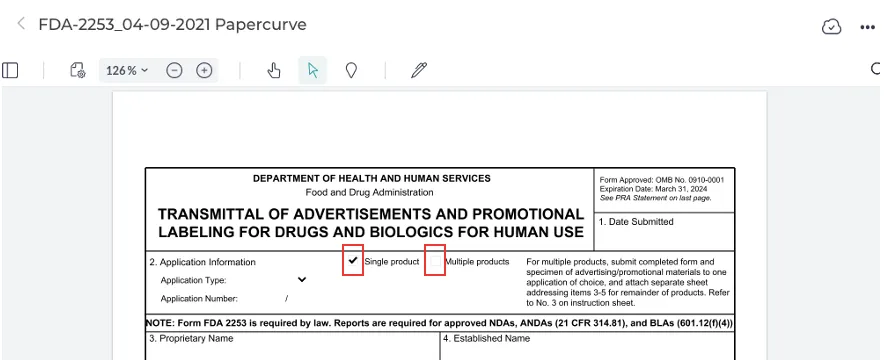
- For fields where you need to check which field is appropriate, click on the square and a checkmark will appear as shown below:
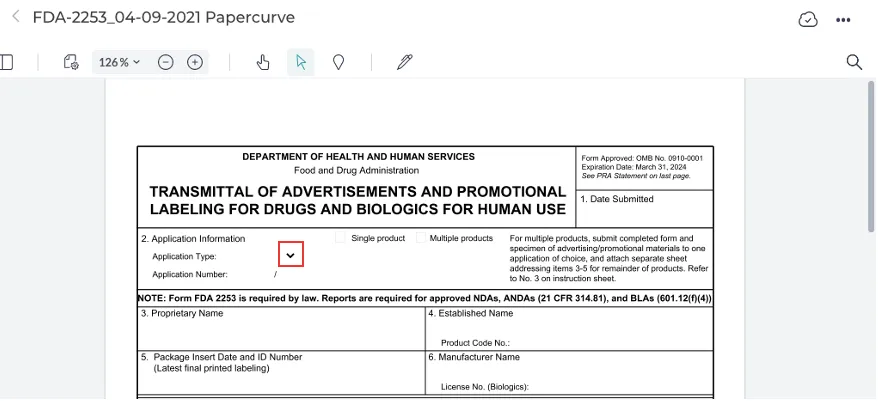
- For certain fields such as “Application Type” or “Material Type” we have entered all proposed responses in the drop down menu. To access the drop-down menu, simply click on the arrow located near the field.
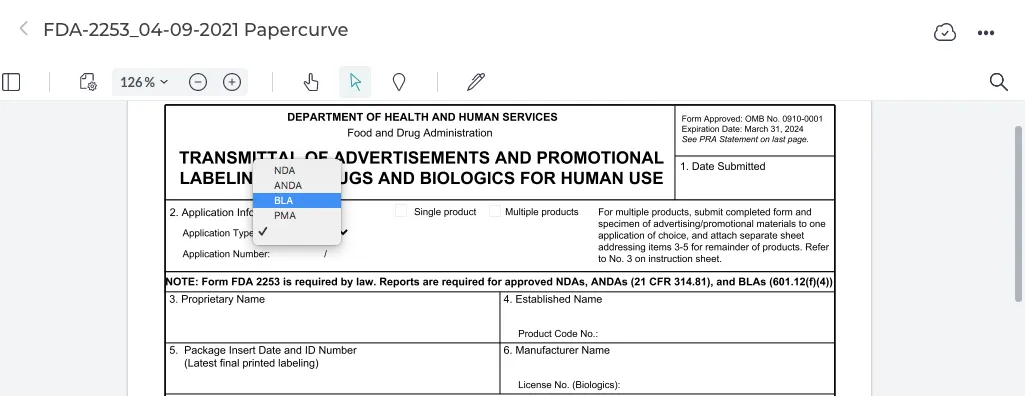
- The responses will be shown in the drop-down menu, to enter the desired response, click on it and it will automatically appear in the field.
How to Sign
When finished filling out the form, users can sign the document using our Electronic Signatures feature.
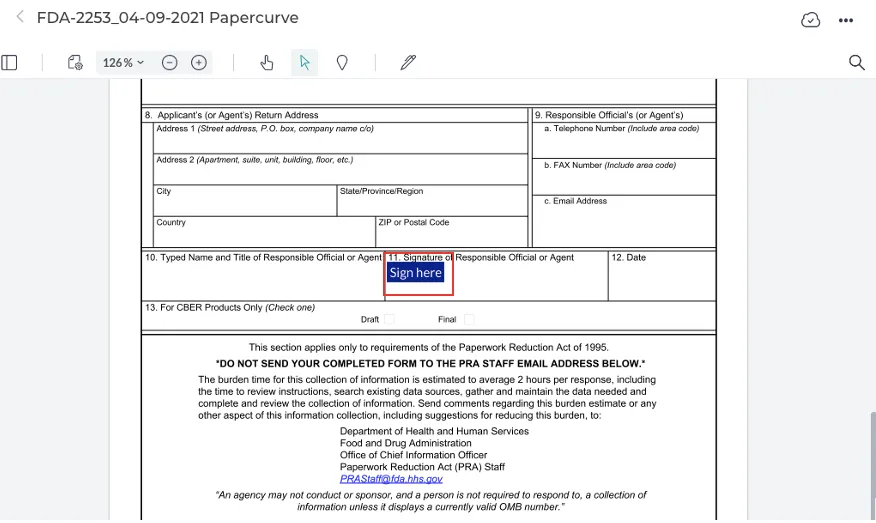
- To add your signature to the document, click on the blue Sign Here button.
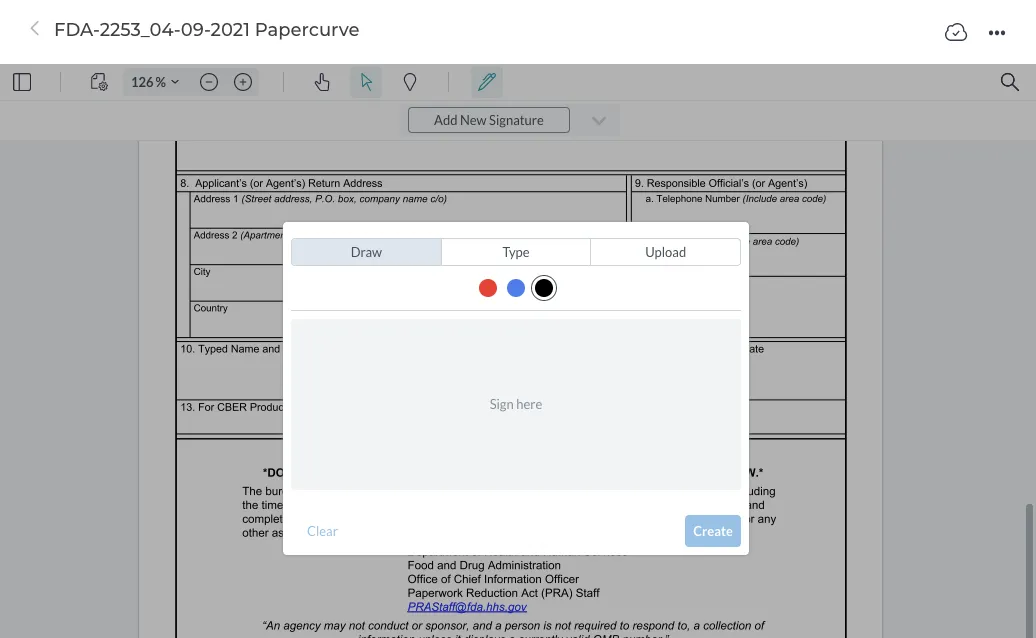
- The electronic signatures window will appear, where you can choose to either draw, type, or upload your signature.
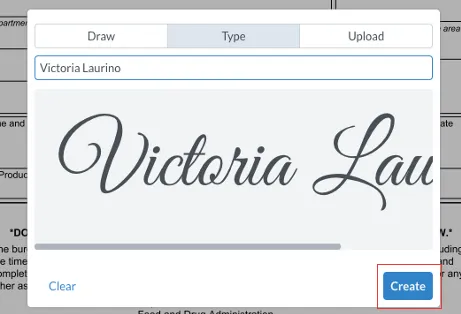
- When finished, click Create and your signature will appear in the signature field.
New in Papercurve 3: What if your content could answer back?Ask Paige turns any Papercurve library into an assistant for your team: what claims are cleared, which reference backs them, how the last piece said it. Grounded in your approved content, cited to the page.See what's new in Papercurve 3 →New in Papercurve 3: Your approved library already knows what you can sayAsk Paige what claims you've cleared, which reference supports each one, and how the last approved piece phrased it. Answers come only from your content, cited to the page.See what's new in Papercurve 3 →New in Papercurve 3: Find the number before you find the pageAsk Paige "which source supports the 42% reduction?" and get the reference, the page, and the exact line. Every answer is cited, so reviewers verify instead of hunting.See what's new in Papercurve 3 →New in Papercurve 3: Turn your approved content into a support deskPoint Ask Paige at a library, give it a role, and it answers questions the way your team would, from approved material only, with citations.See what's new in Papercurve 3 →New in Papercurve 3: An assistant that only knows what you've approvedAsk Paige answers from your documents and libraries, cites every page, and never invents what isn't there. No training on your content, no cross-client data.See what's new in Papercurve 3 →
Still have questions?
Chat
9am – 5pm Eastern Time, by clicking the icon in the bottom right corner of the screen.