

Notifications are sent via email to alert relevant users about new or outstanding tasks.

Default Notifications
Notifications on Papercurve are sent to a user’s email where they will be notified about a new or outstanding task. This creates a streamline workflow for users to upload, edit, and review content without having to directly send a message to KOLs. This article outlines the default notification settings for the uploader and reviewer.
The Uploader
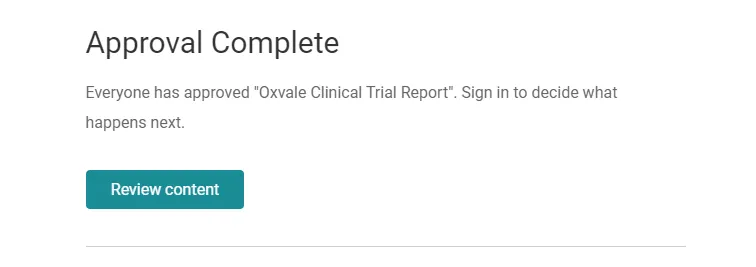
The uploader will receive an email notification when:
- content is approved by all reviewers
- an approved content is released to a library
- content is deleted
- content is reviewed with a response to “submit new version”
The Reviewer
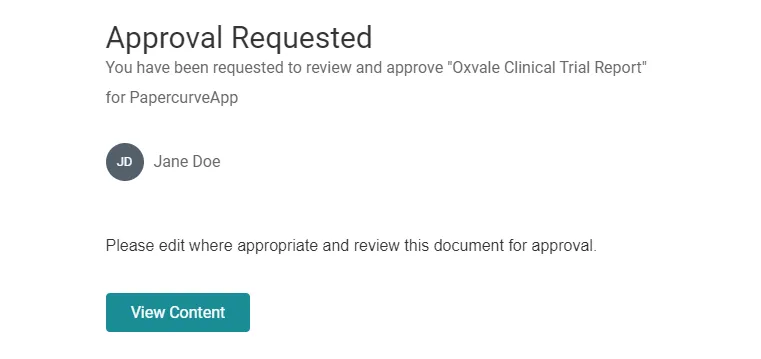
The reviewer will receive an email notification when:
- a request invitation is sent to review and approve content - with any additional notes made to the reviewer(s)
- a new version of the document is uploaded
Other Default Notifications
- due date notification reminders are sent to the reviewer 2 and 1 day(s) prior to the due date, and on the date of
- due date notifications are sent everyday after a scheduled due date
- all users are notified when a new version is uploaded
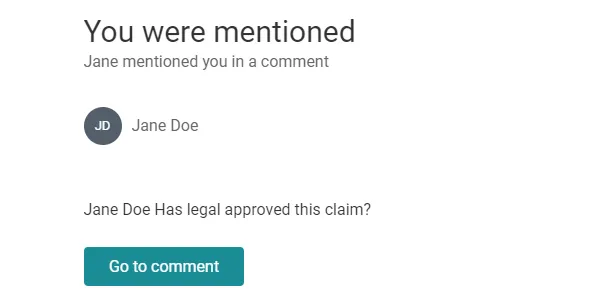
- users will receive an email notification when they are @ mentioned in a comment
The amazing thing about Papercurve’s notification settings is that they are 100% customizable to your team’s workspace. Our team is currently working hard to release this feature in our upcoming version releases.
New in Papercurve 3: What if your content could answer back?Ask Paige turns any Papercurve library into an assistant for your team: what claims are cleared, which reference backs them, how the last piece said it. Grounded in your approved content, cited to the page.See what's new in Papercurve 3 →New in Papercurve 3: Your approved library already knows what you can sayAsk Paige what claims you've cleared, which reference supports each one, and how the last approved piece phrased it. Answers come only from your content, cited to the page.See what's new in Papercurve 3 →New in Papercurve 3: Find the number before you find the pageAsk Paige "which source supports the 42% reduction?" and get the reference, the page, and the exact line. Every answer is cited, so reviewers verify instead of hunting.See what's new in Papercurve 3 →New in Papercurve 3: Turn your approved content into a support deskPoint Ask Paige at a library, give it a role, and it answers questions the way your team would, from approved material only, with citations.See what's new in Papercurve 3 →New in Papercurve 3: An assistant that only knows what you've approvedAsk Paige answers from your documents and libraries, cites every page, and never invents what isn't there. No training on your content, no cross-client data.See what's new in Papercurve 3 →
Still have questions?
Chat
9am – 5pm Eastern Time, by clicking the icon in the bottom right corner of the screen.