


Content Authoring supports documents in the file formats of Word, Excel, and PowerPoint.
To make existing documents compatible with the Content Authoring feature, the customizable fields need to be edited so the Papercurve platform can correctly identify the sections of the document that should be editable.
1. Open or create a document that you would like to use as a template on Papercurve. And then identify the sections that were input fields or sections that you would like to become editable.
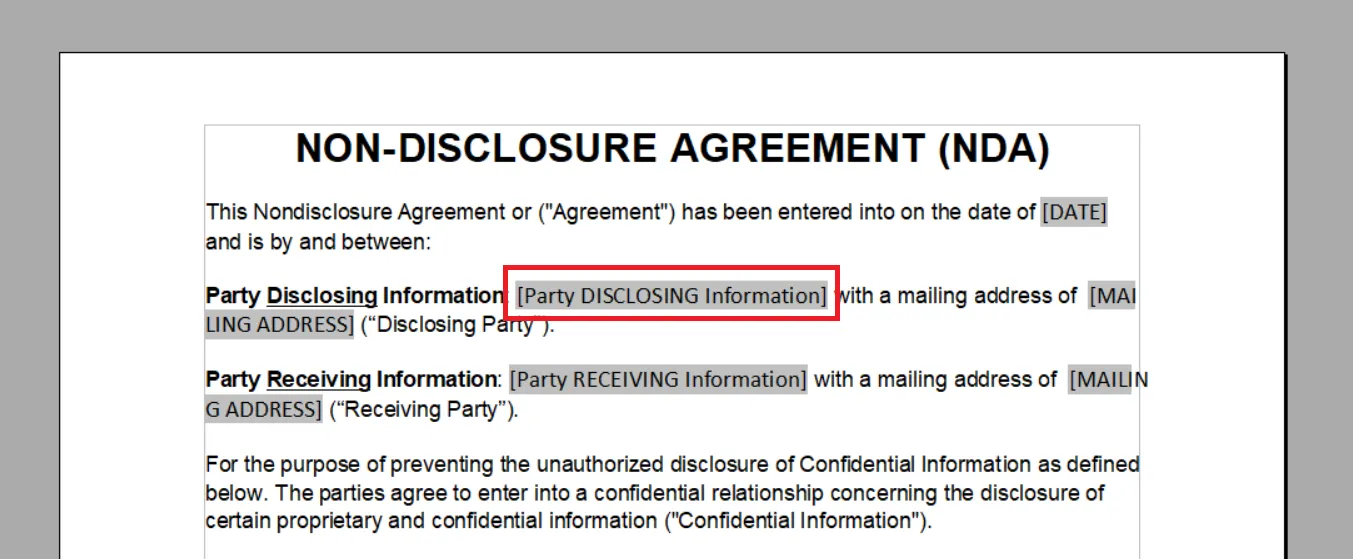
2. For every section that should be a variable field, encase the content name with double brackets to define {{placeholders}}, it should look like the following. You can only use lowercase letters, numbers “-”, and “_” within the double brackets. Capitalized letters and special characters will not work.
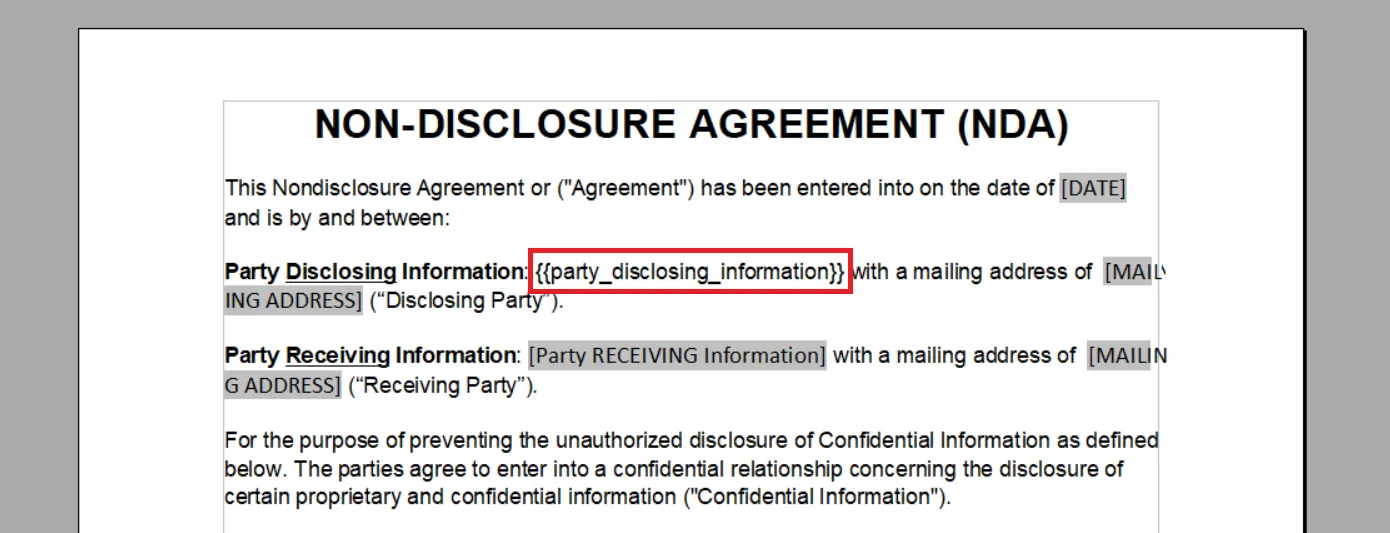
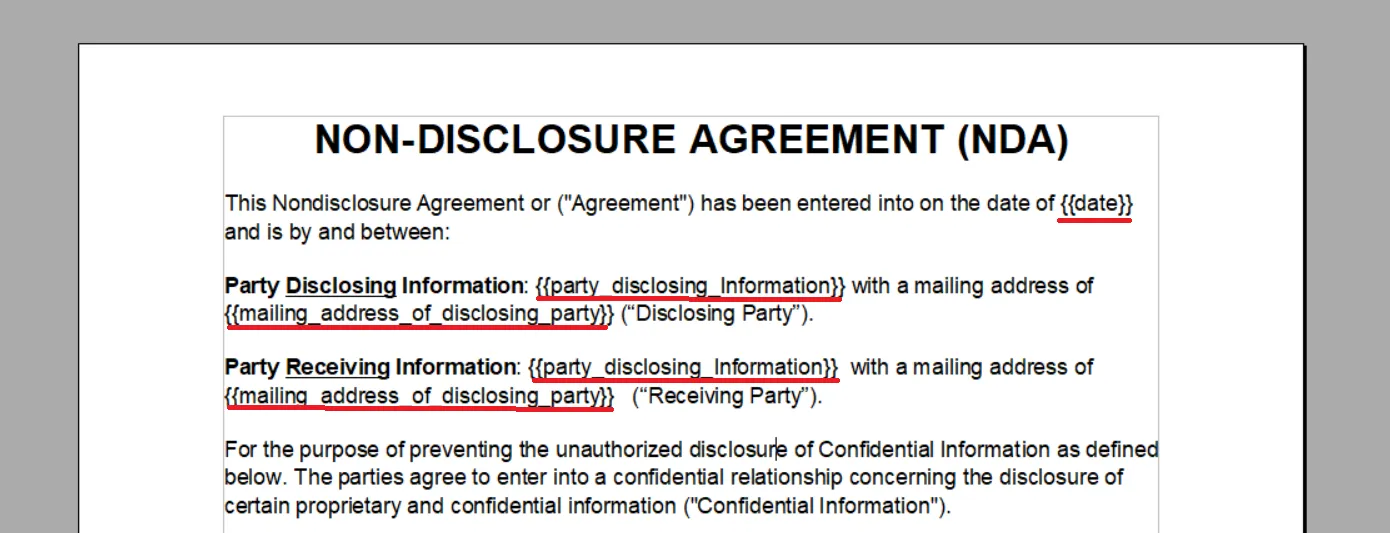
3. The text within the double brackets will become the named fields to help identify what should be included in the variable section. The text would need to be in lowercase and separated by underscores. Hence, a properly edited document would look similar to the following.
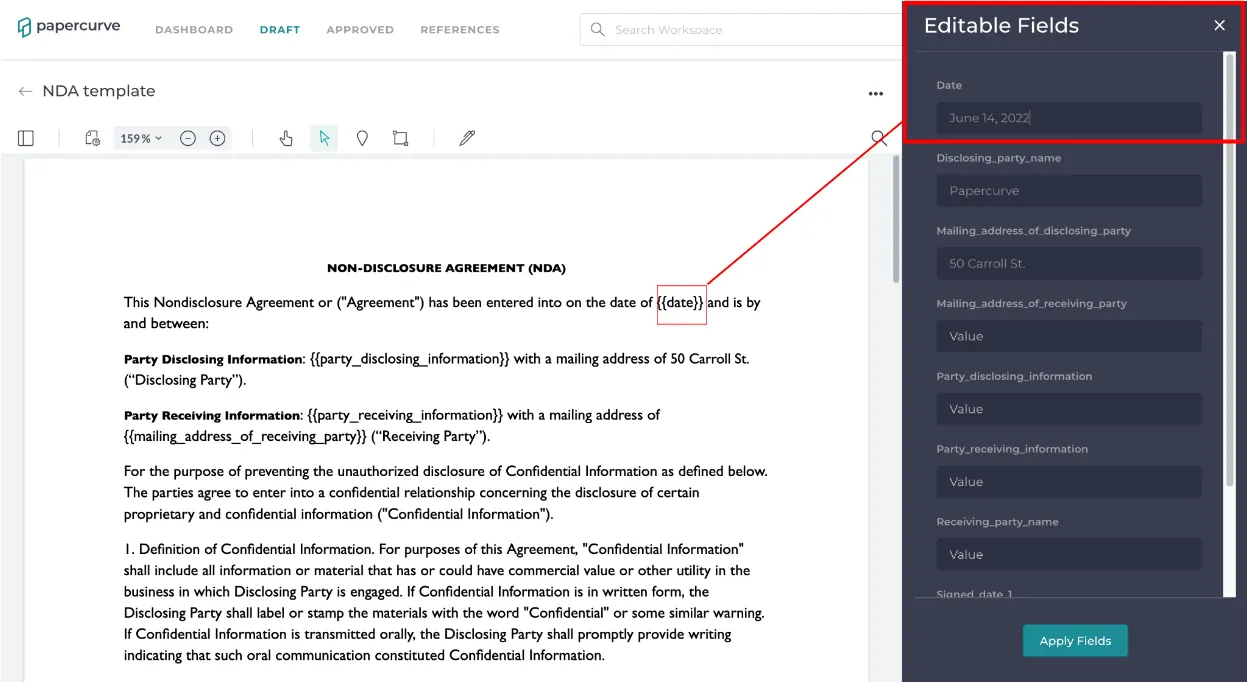
4. If the editing was done correctly, the document would show up as follows on Papercurve with all the fields populated on the side panel.
Still have questions?
Chat
9am – 5pm Eastern Time, by clicking the icon in the bottom right corner of the screen.