


The Papercurve Attachment tool allows you to attach related files like regulatory approval letters, copy decks or source files to the current version of content being reviewed in a few simple steps. Having related files all in one place for easy download and review will make your reviews faster and more accurate.
Adding an attachment
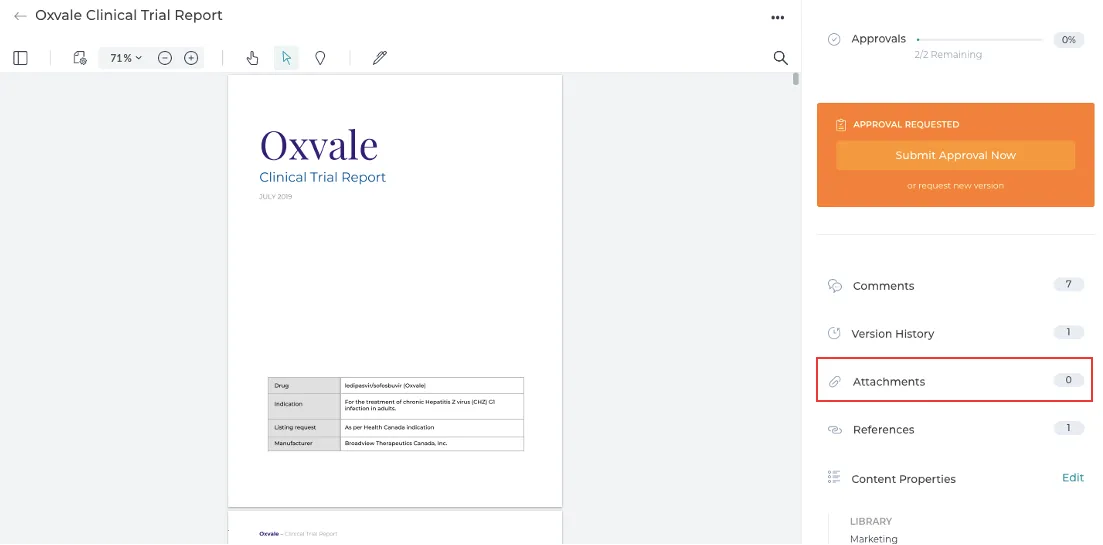
1. To add an attachment, open your content and navigate to Attachments on the Summary panel.
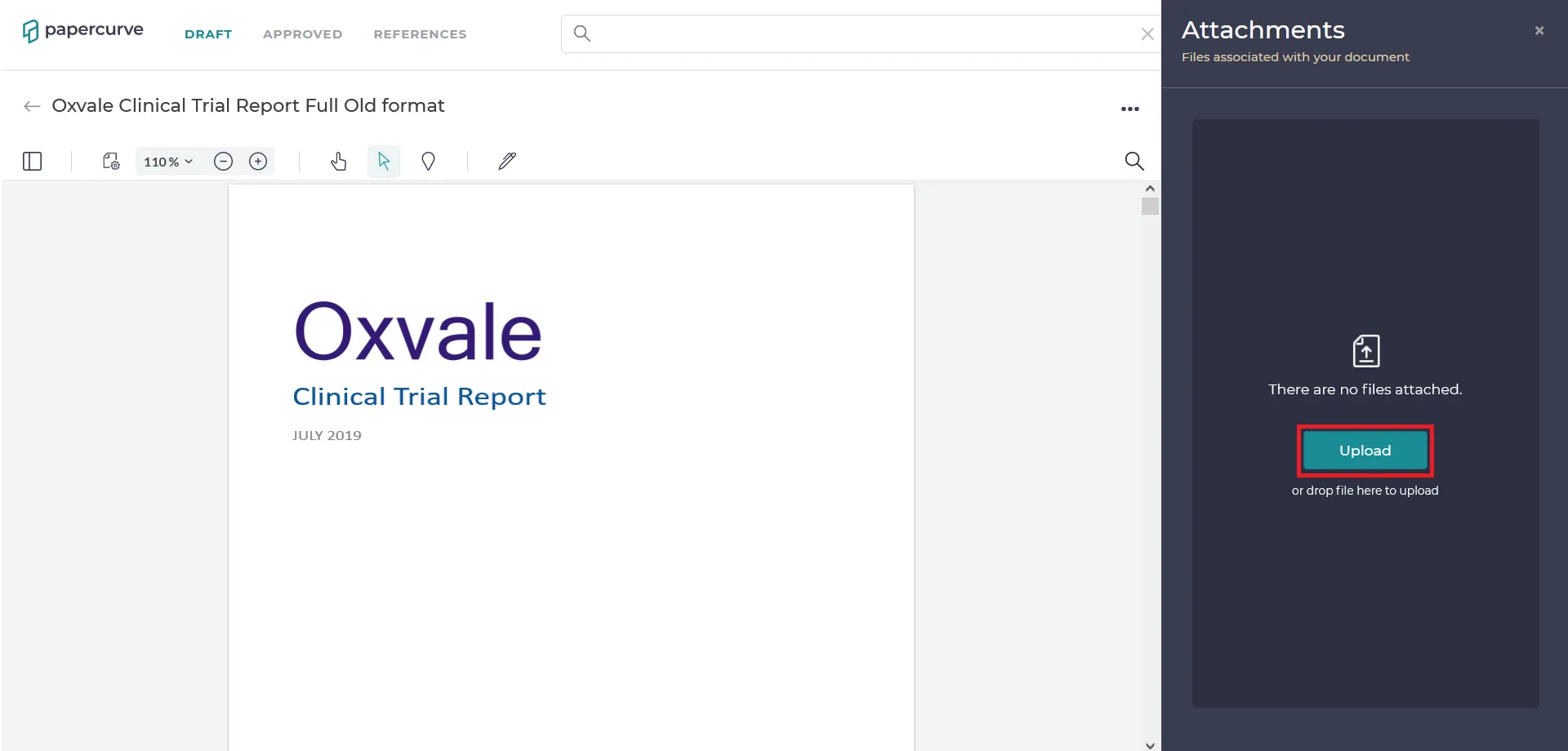
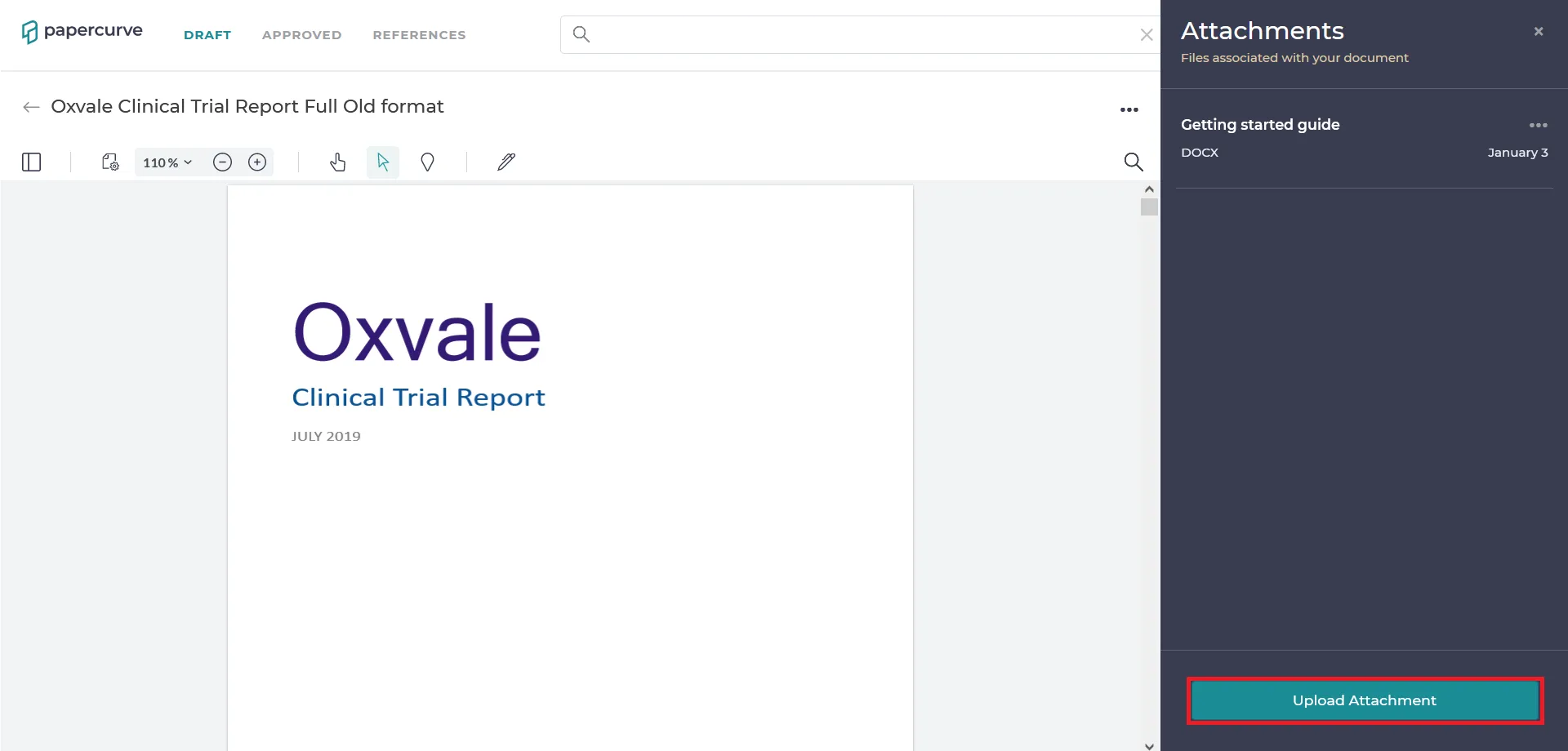
2. You can upload a file as an attachment by clicking on the “Upload” or” Upload Attachment” button in the Attachments panel.
OR
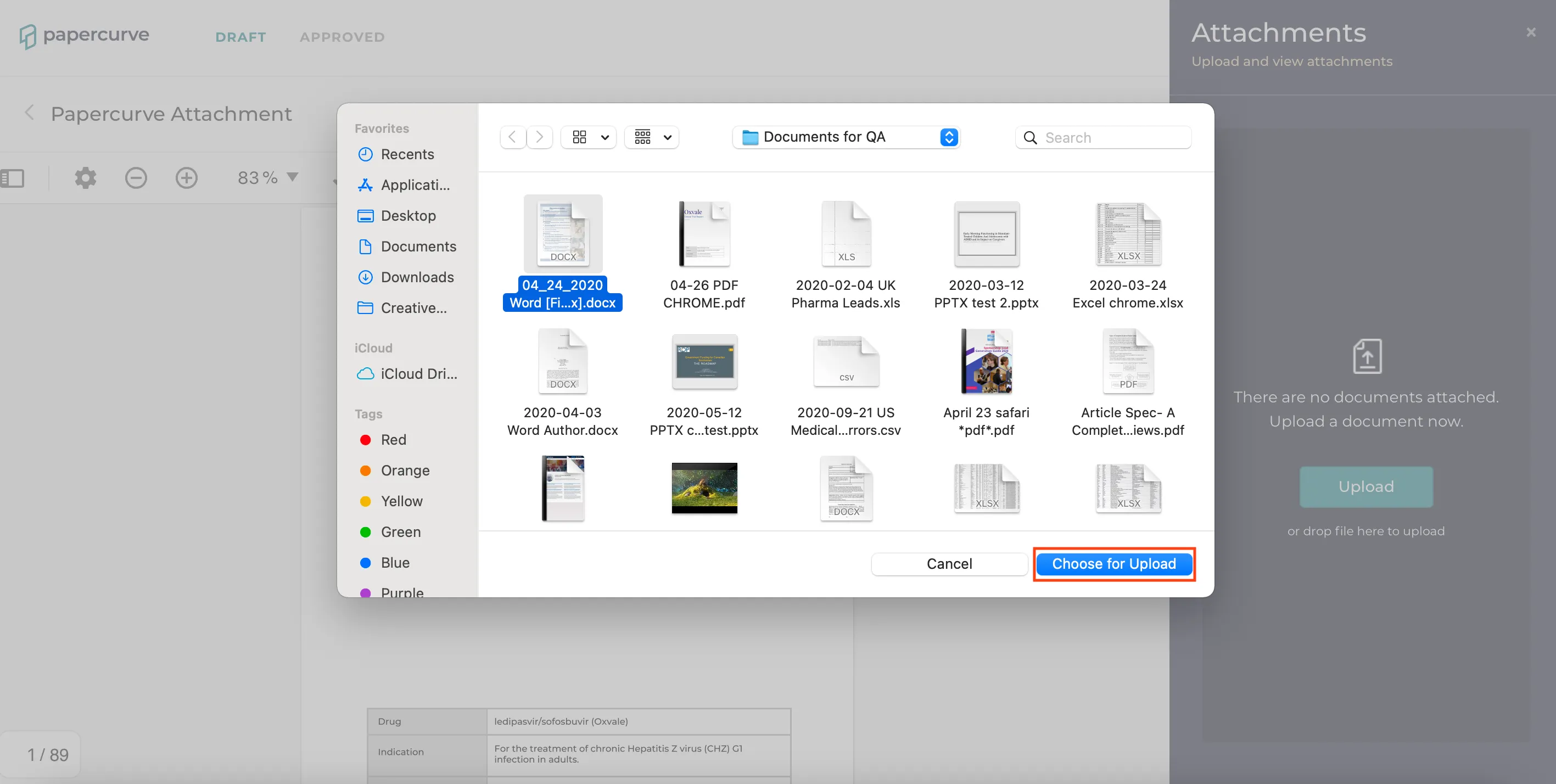
3. Select a file you want to upload and then click “Choose for Upload” button. Another way to upload is by dragging and dropping the file to the Attachments panel.
Download/Delete/Rename Attachment
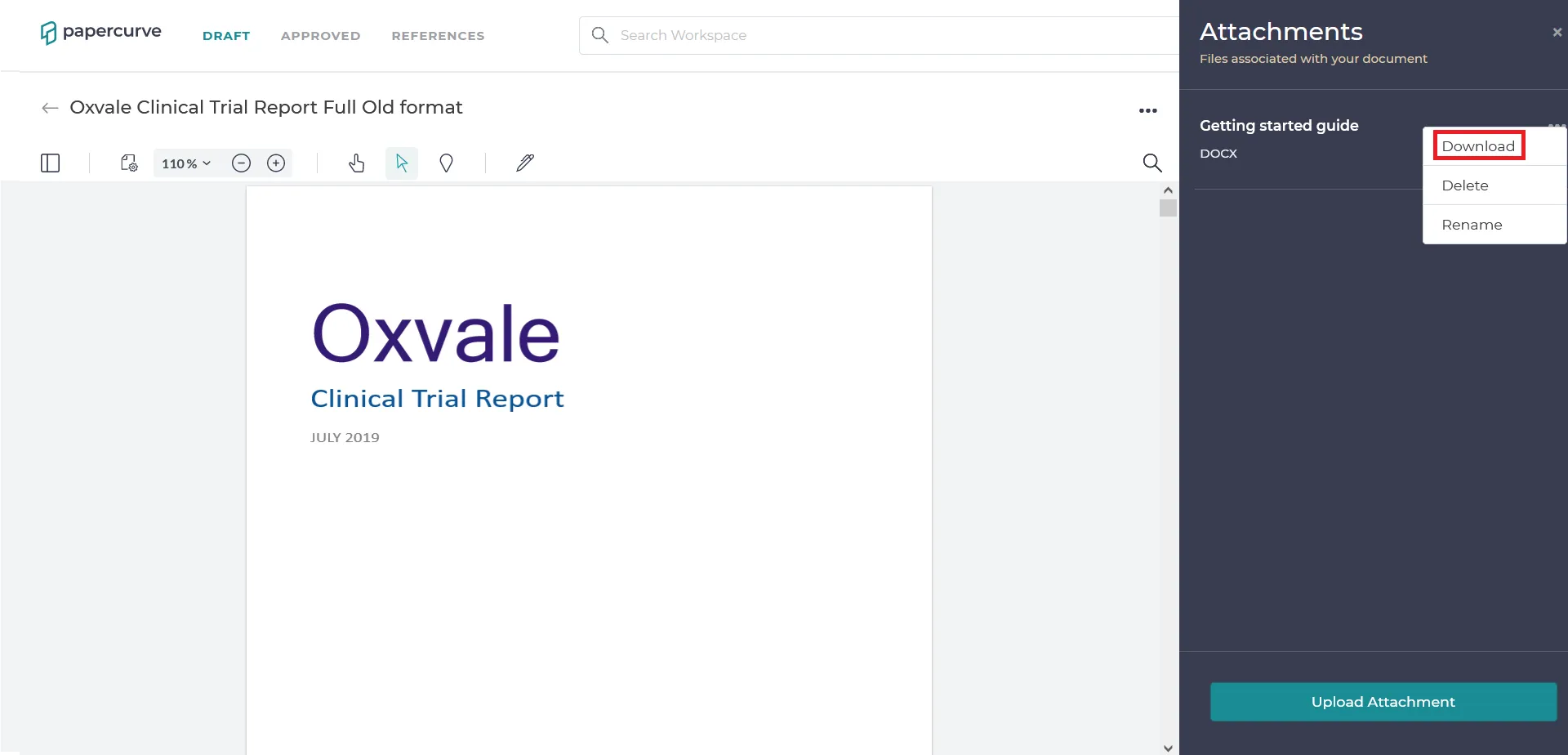
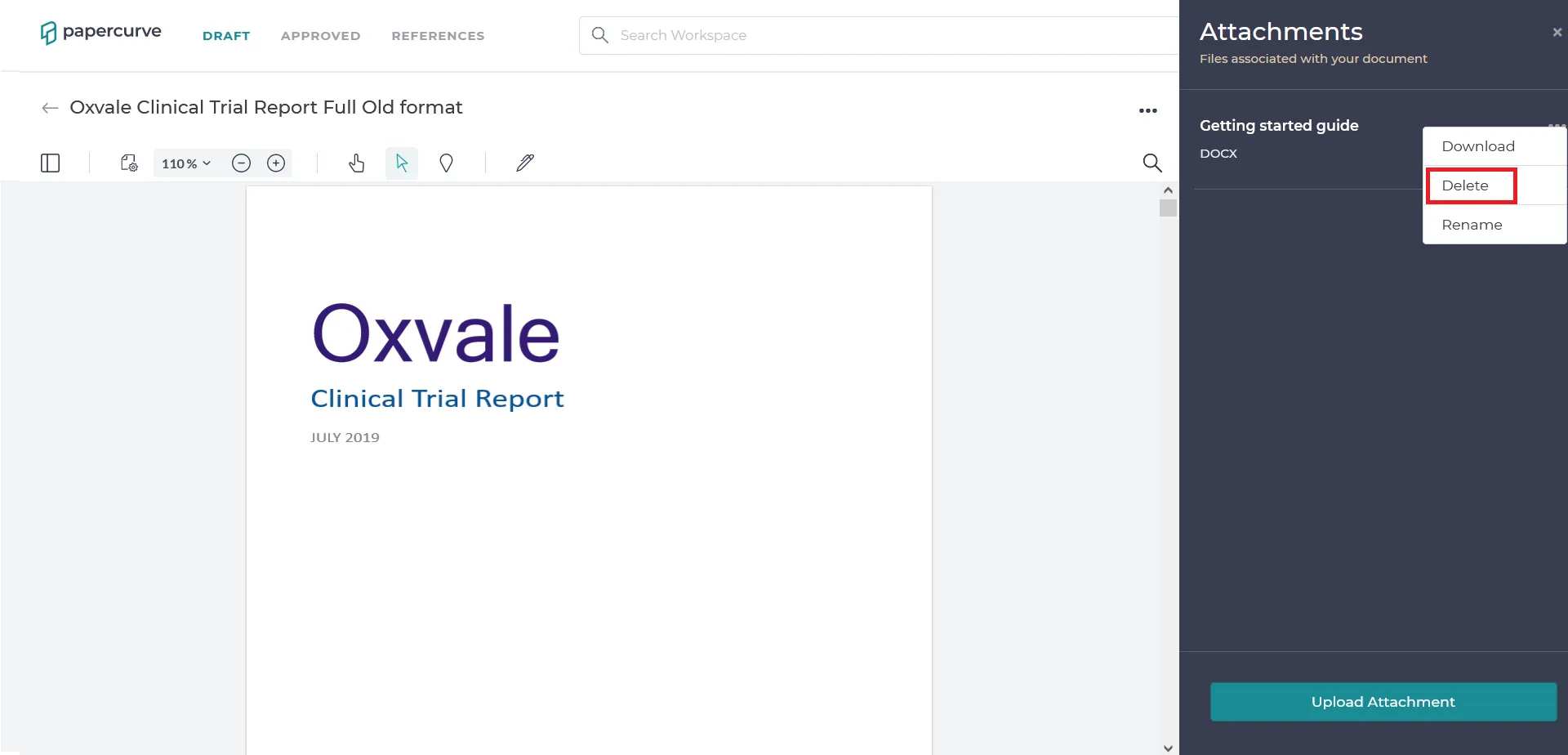
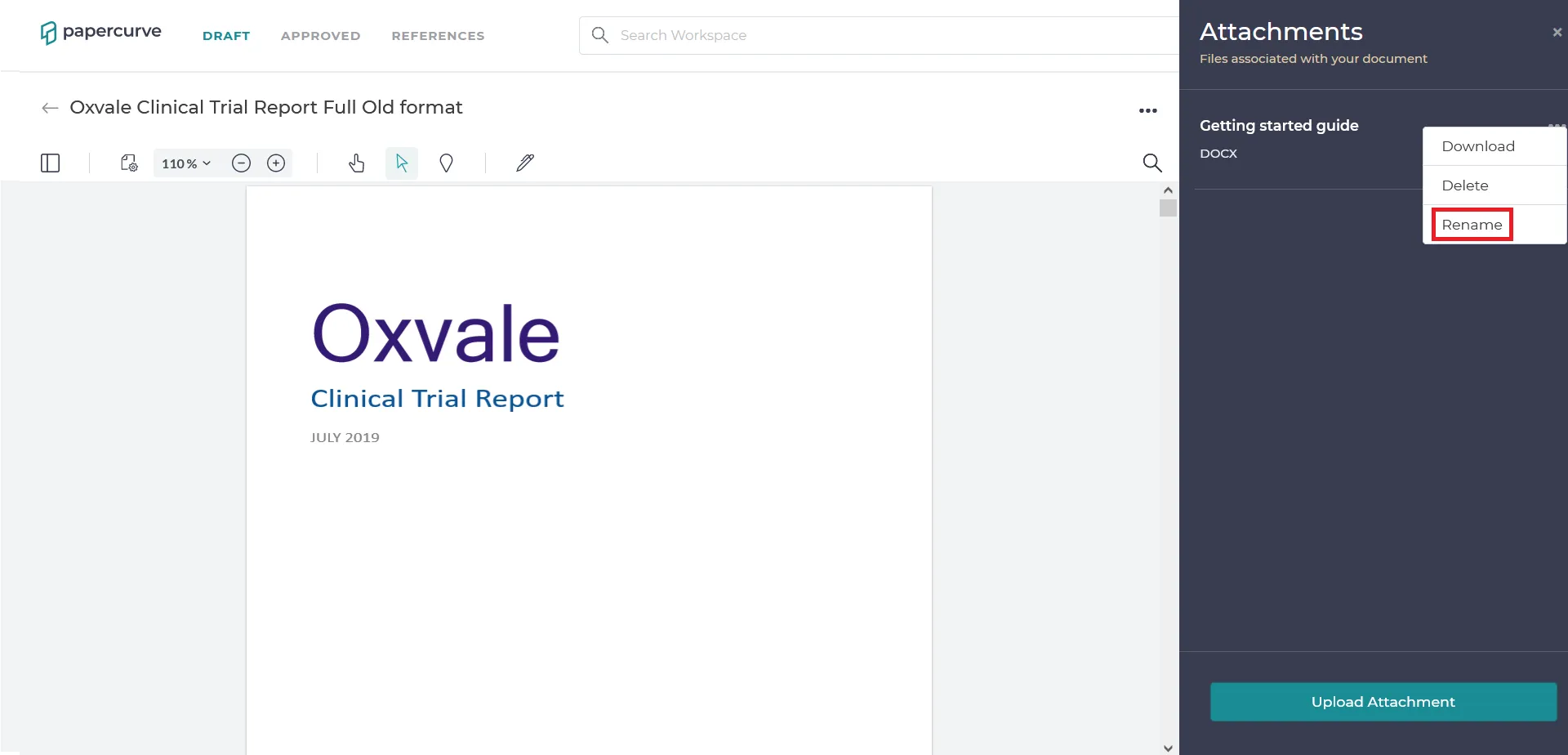
1. Open your content and navigate to Attachments on the Summary panel. Click on the three dots located next to the attachment file that you wish to download, delete or rename in the Summary panel.
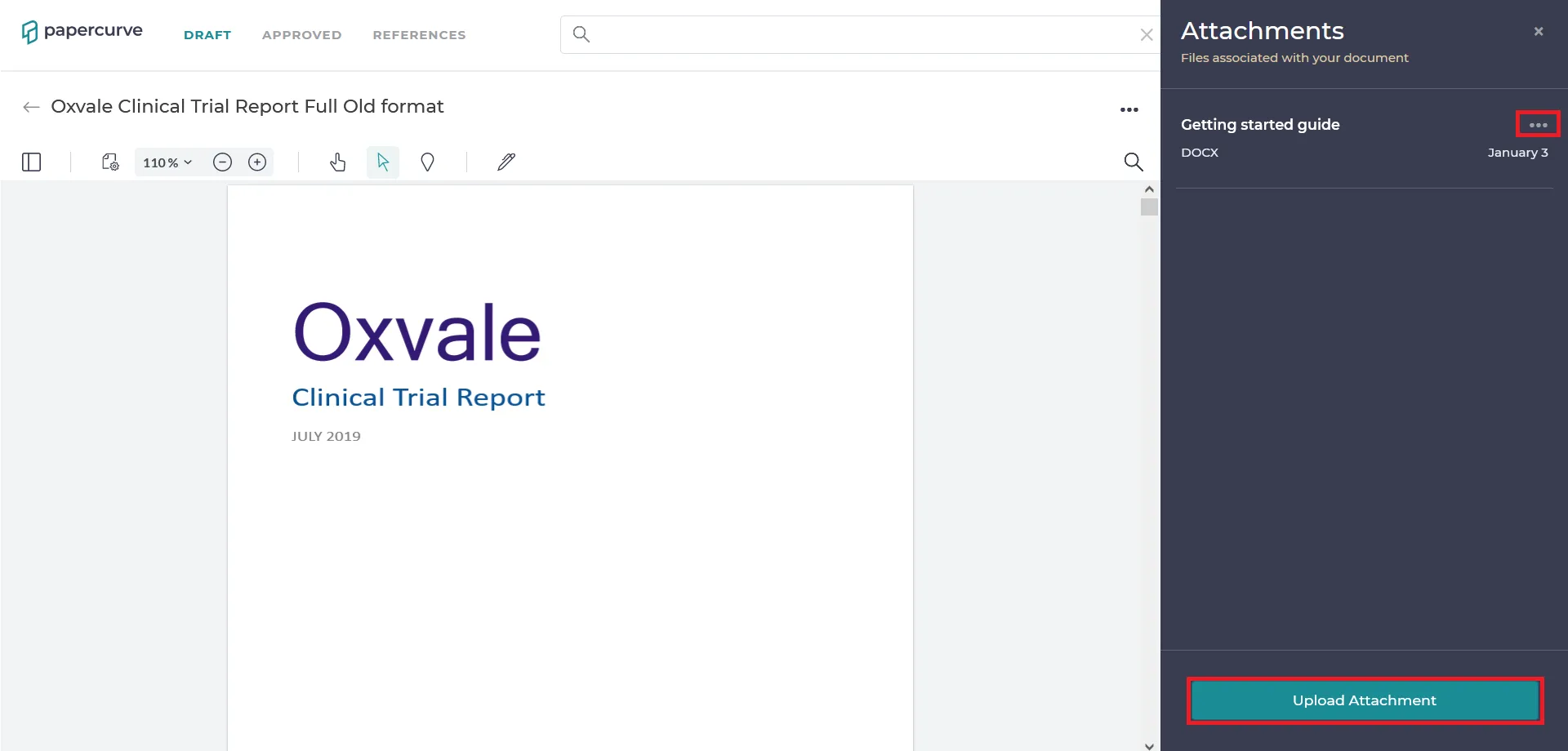
2. Once you click on the three dots a drop-down menu of three options is displayed; Download, Delete and Rename.
Still have questions?
Chat
9am – 5pm Eastern Time, by clicking the icon in the bottom right corner of the screen.