


Approved with Changes
Sometimes instead of re-reviewing a document, you are satisfied as long as the changes requested are implemented. This is when the Approved with Changes option will be most appropriate. It also saves the time it takes to re-read and re-submit your approval if these are minor changes.
How it works
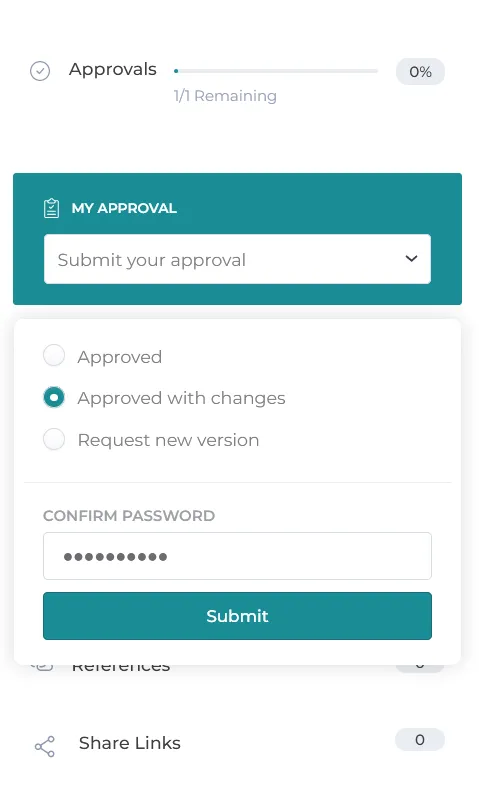
1. When submitting an approval for a project, if there are comments and changes that are required for the document, but are minor and doesn’t require a second review, the review can choose the Approved with Changes option.
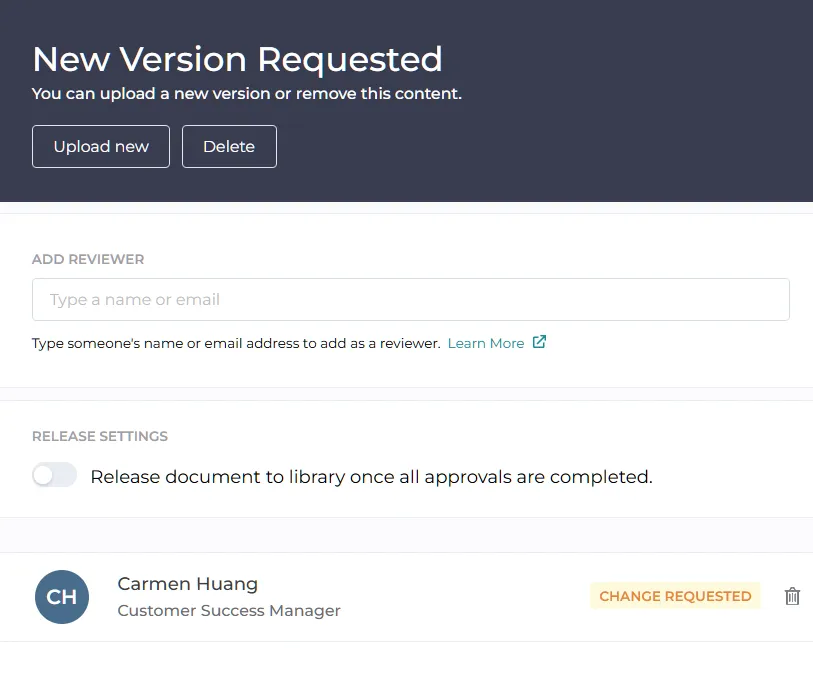
2. Once the approved with changes review is submitted, it will show as changes requested on the document. This indicates to the author that changes need to be made before it can be released.
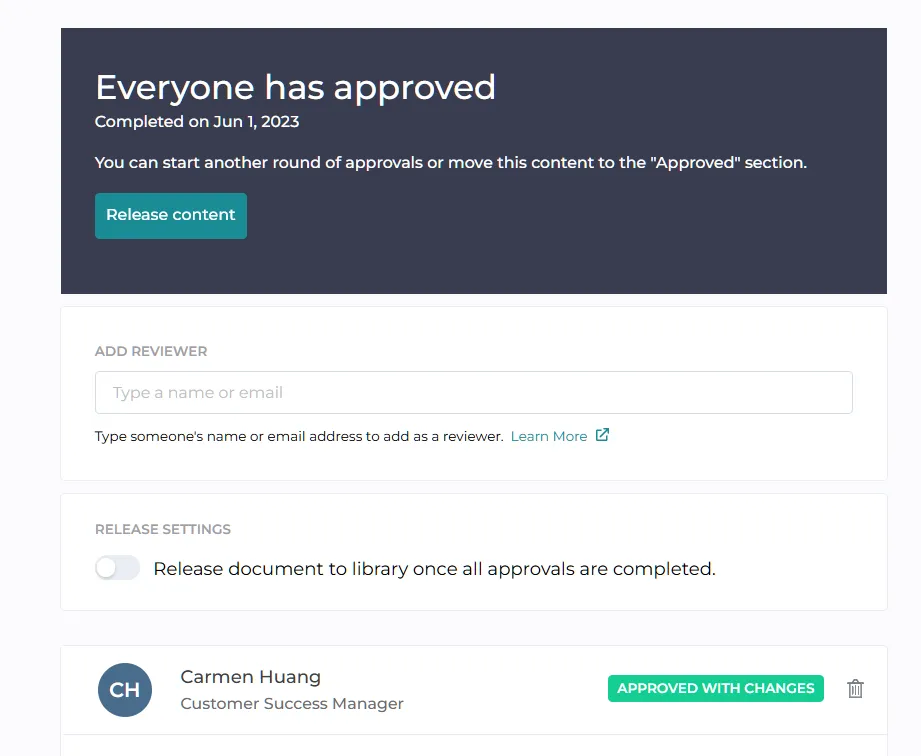
3. When a new version is updated on the project, the change requested button will switch to Approved with Changes, indicating that the document is ready for release.
Still have questions?
Chat
9am – 5pm Eastern Time, by clicking the icon in the bottom right corner of the screen.