


Add Contacts and Segments in Papercurve CRM Verified Email
In Papercurve CRM Verified Email, Contacts and segments help you organize your customer data efficiently. You can categorize and group contacts based on various criteria, making it easier to locate specific individuals or organizations when needed.
By segmenting your contacts, you can tailor your communication and marketing efforts to specific groups with similar characteristics or interests.
How it works:
Create A Segment
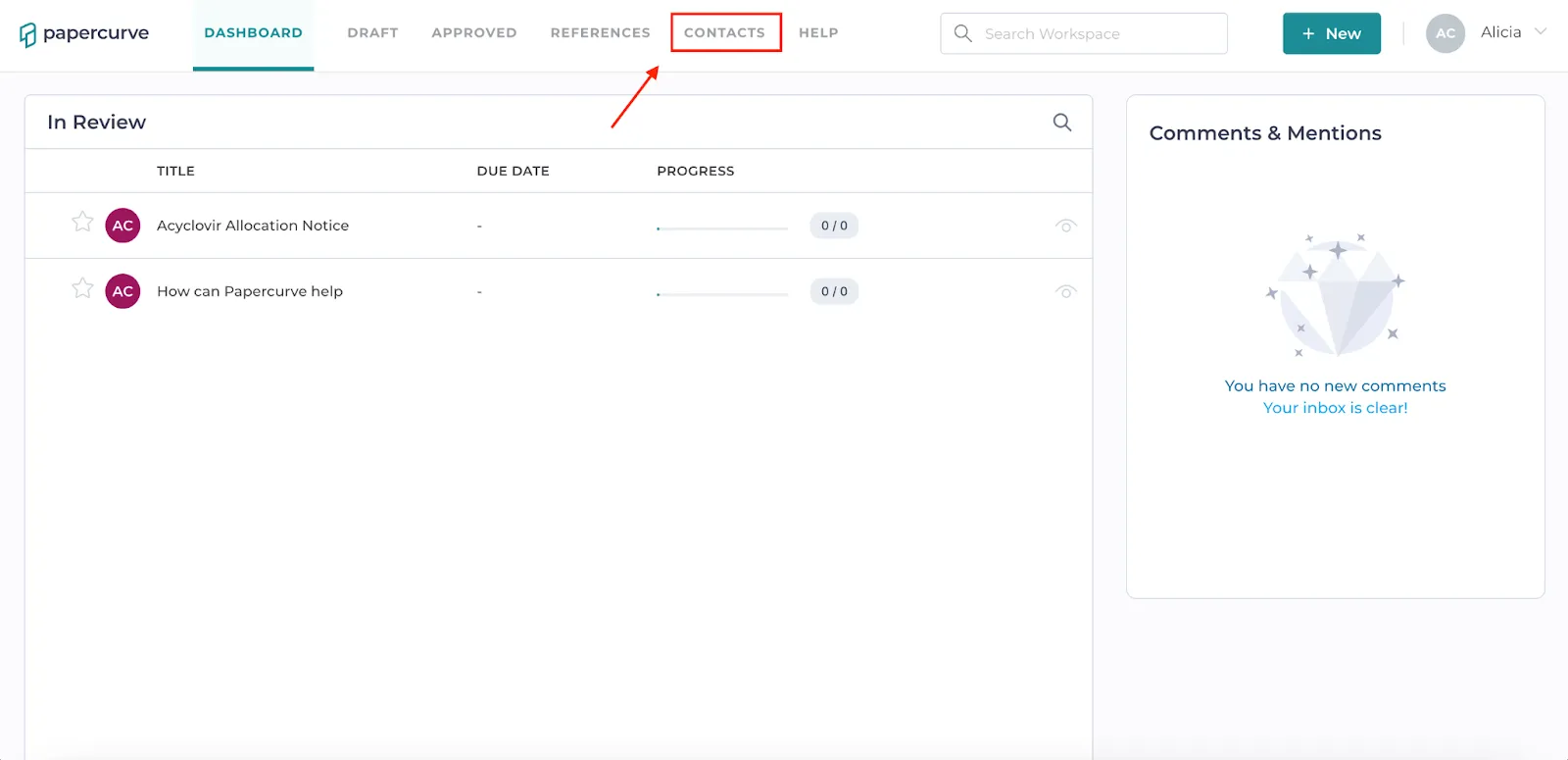
- Click “Contacts” in the navigation bar.
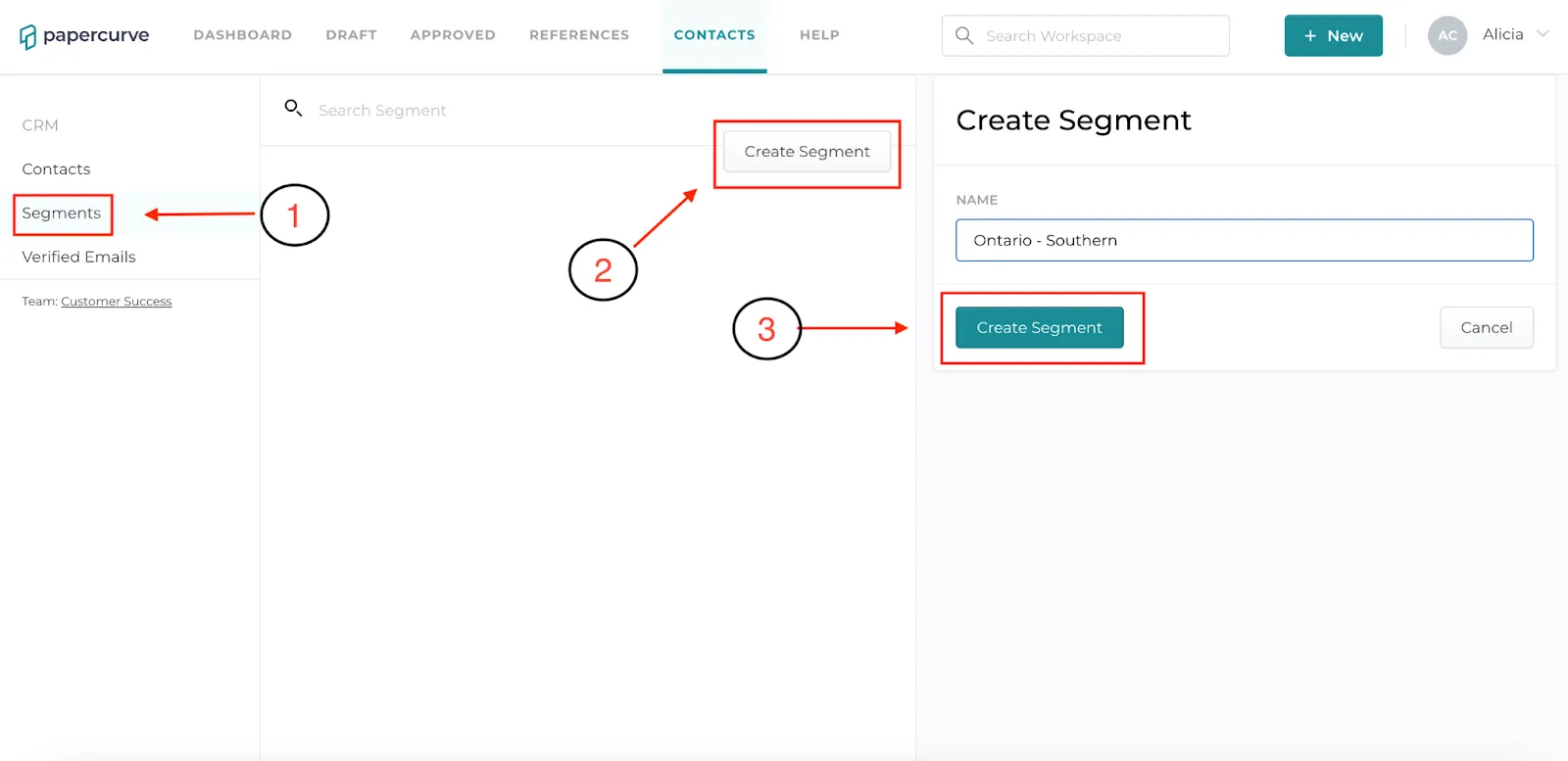
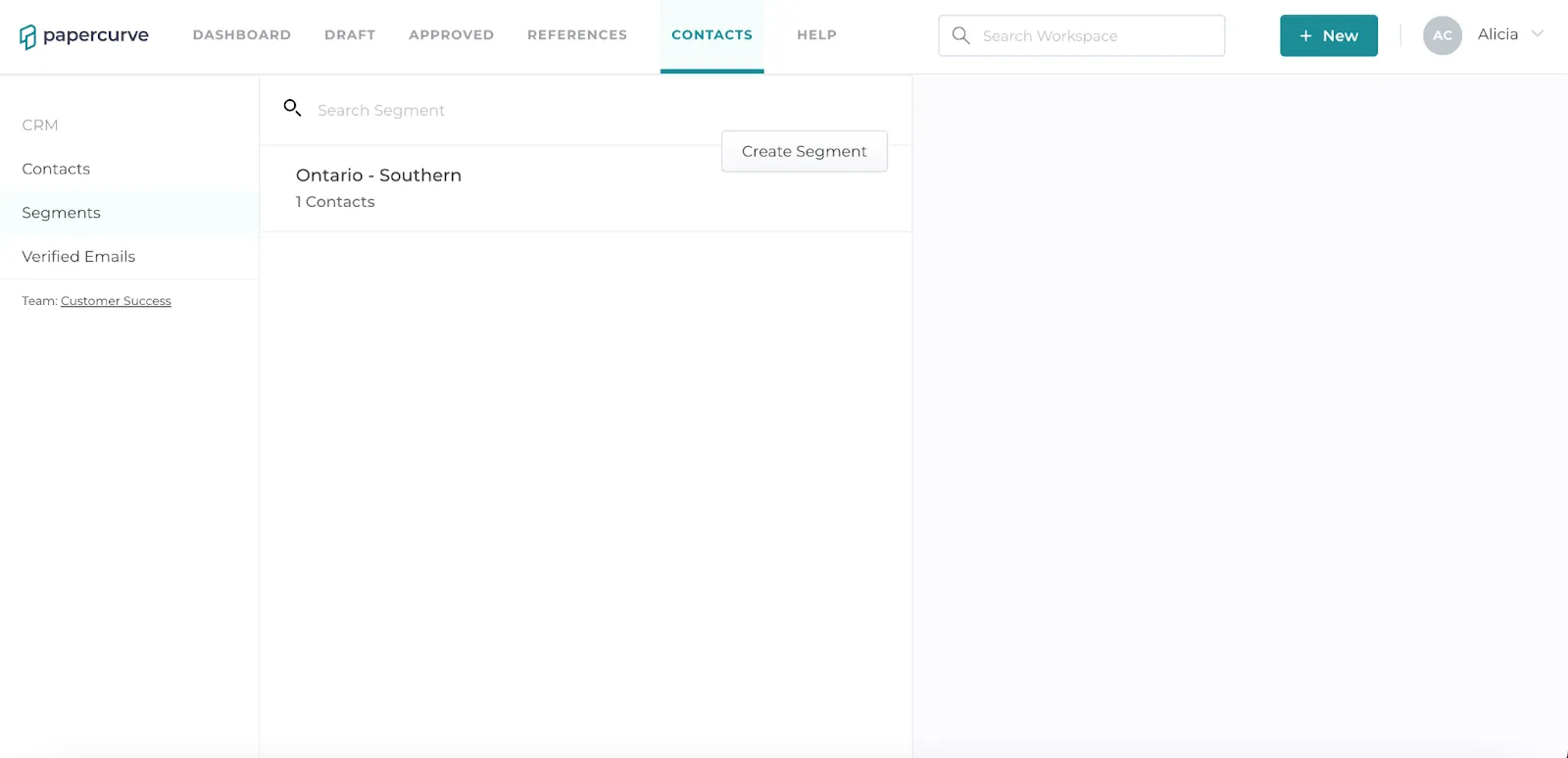
- Click “Segments” on the left hand side of the screen. Click the “Create Segment” button in the top right corner, give the segment a name, then click the “Create Segment” button below the segment name to save the segment.
Create A Contact
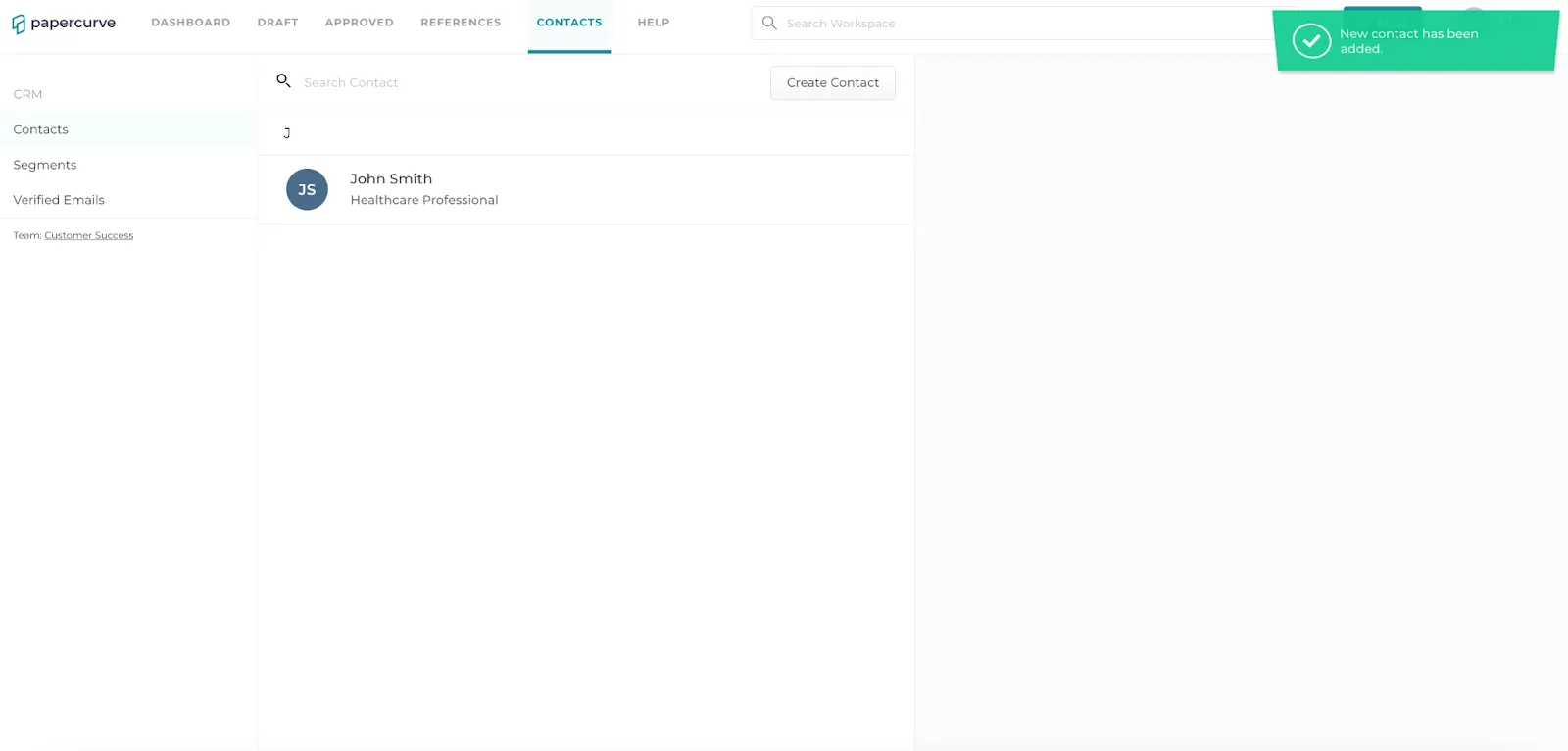
1. Click “Contacts” on the left side of the screen. Click the “Create Contact” button on the top right corner of the screen. Fill in all contact information within the fields, then click the “Create Contact” button below the contact information to save the contact.
Still have questions?
Chat
9am – 5pm Eastern Time, by clicking the icon in the bottom right corner of the screen.